Detailed Operation
-11-
E-mail: support@tomlov.com
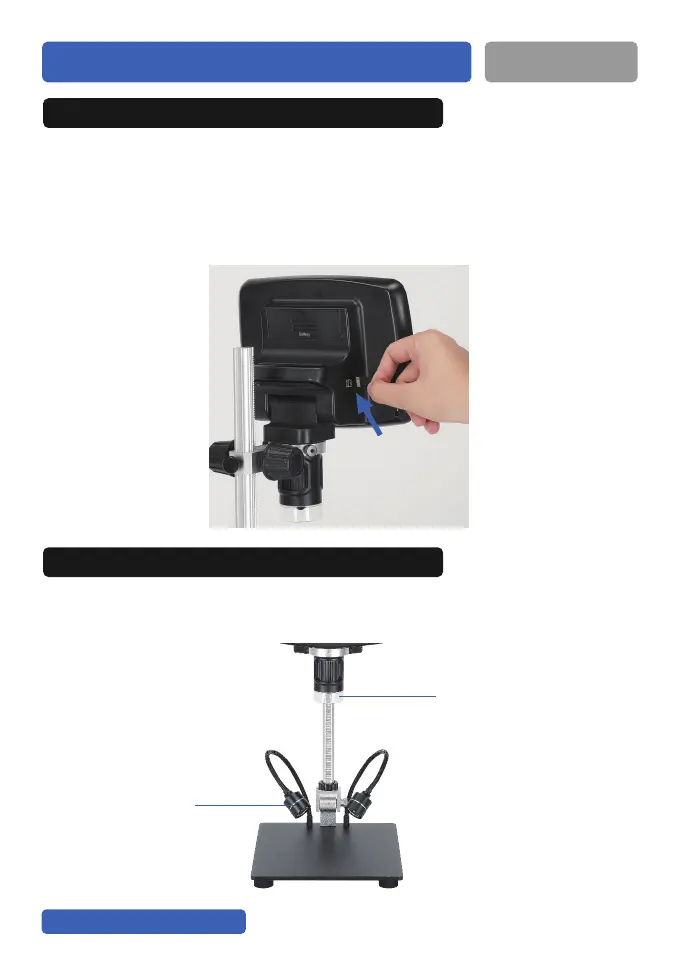
32GB Card: By using a Micro SD card, you can save images and videos
to review later. Insert the Micro SD card into the SD card slot on the right
side of the screen.(Be careful with the direction. The side which has
metal exposed should face down.) Push it in till you hear a“click”.
(If you don't push it in far enough, it will be ejected.)
1. Save photos/videos with Micro SD card
There are main LED lights (around the camera) and 2 side LED lights
(on the base), they are powered and controlled separately.
2. How to get the LED lights to work?
Two Side Lights
Main LED Lights


 To Next Page