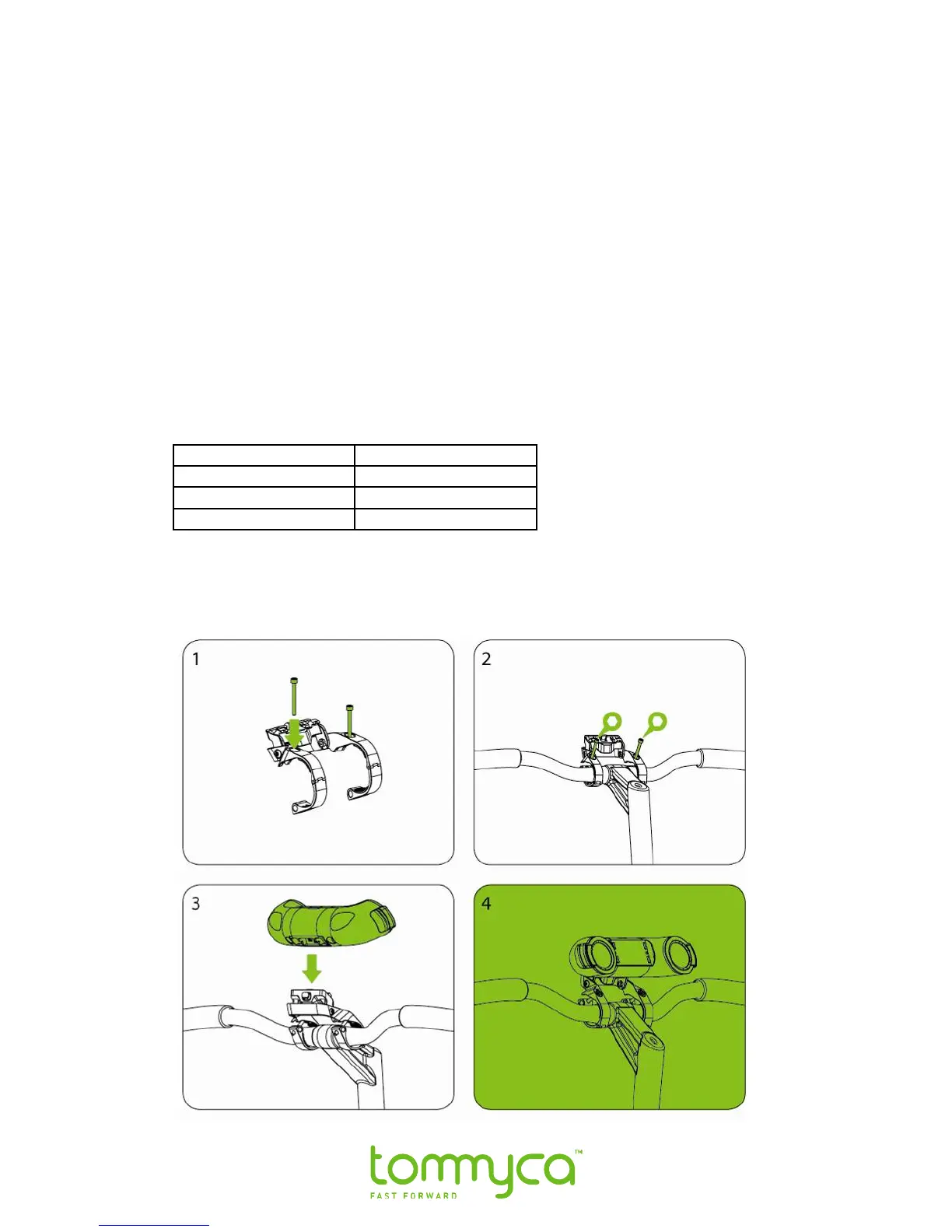
1.4 Installing the Quick Release Handlebar Mounting Bracket
1. Using #3 Allen Key, remove the 2 set screws from the mounting bracket.
2. Center the mounting bracket on either side of the handlebar stem with the
tommyca logo facing forward.
3. Hold the clamps around the handlebar.
4. Replace and tighten the set screws.
Notes:
• Depending on your handlebar’s diameter, you may need to add the supplied inserts to
insure a snug fit. To use the inserts, slide them over the handlebar and position them
under the mounting bracket clamps.
Handle bar diameter Insert
30-32mm No insert
26- 29 Thin insert
22-25 Thick insert.
• Rotate the mount up or down as desired using the holding screws, (add a graphic that
shows the holding screws)
• Do not over tighten set screws.



 To Next Page