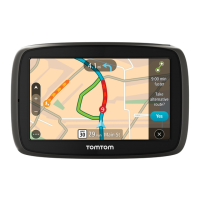
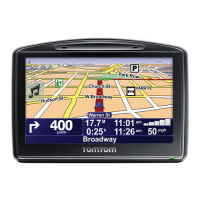
A route is planned and then guidance to your destination begins. As soon as you start driving, the
guidance view is shown automatically.
Tip: If your destination is in a different time zone, you see a plus (+) or a minus (-) sign and the
time difference in hours and half hours in the arrival information panel. The estimated time of
arrival is the local time at your destination.
Tip: You can add a stop to a route that you have already planned.
Tip: You can save a route using My Routes.
Entering search terms
Select Search in the Main menu to start searching for addresses, POIs or contacts. The search
screen opens showing the device keyboard and the following buttons:
Tip: Hide the device keyboard to show the whole search screen.
1. Back button.
Select this button to go back to the previous screen.
2. Search input box.
Enter your search term here. As you type, matching addresses and POIs are shown.
Tip: If you press and hold a letter key on the keyboard, you get access to extra characters if they
are available. For example, press and hold the letter "e" to access characters 3 e è é ê ë and
more.
Tip: To edit, select a word you have already typed to place the cursor. You can then insert or
delete characters.
3. Search results list
Swipe the screen left or right to show the Contacts or the Addresses column.
Tip: When you only see only one or two columns, swipe the screen to show another column.
4. Type of search.
By default, the whole of the current map is searched. Once you have used search, the last search
type you selected is used. Select this button to change the type of search to any of the following:



 To Next Page