TomTom Traffic12.
44
TomTom Traffic
TomTom Traffic is a TomTom Service for receiving up-to-date traffic
information. TomTom Traffic requires a wireless data connection (GPRS,
EDGE, UMTS, CDMA).
TomTom Traffic uses the most up-to-date information from the best local
sources. For more information about subscribing see tomtom.com/services
Setting up TomTom Traffic
1. Tap TomTom Traffic in the Main Menu.
2. Tap Enable Traffic.
3. Enter your username and password.
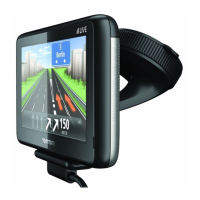
The Traffic sidebar is shown on the right-hand side of the Driving View and
your device retrieves the latest traffic information from TomTom.
The following symbols are shown at the top of the Traffic sidebar:
Your device is busy retrieving traffic information.
Traffic information is up to date.
Traffic information has not been updated for at least 15 minutes.
Traffic information has not been updated for at least 30 minutes.



 To Next Page
 Loading...