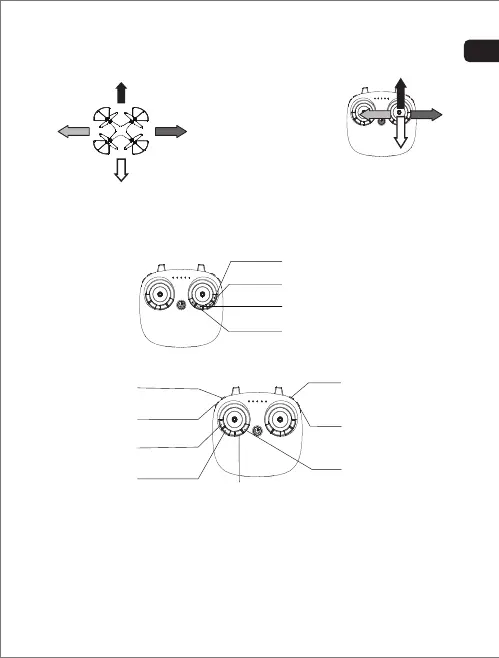
Use “right stick” to control
forward, backward,left & right
movement during flight.
Backward
Right trim
Forward trim
Backward trim
Left trim
Forward
RightLeft
If the drone sways in an unprompted direction, use the trim buttons
to correct the flight:
Forward / backward / left / right
Trimming
Features
1
2
3
4
6
5
7
8
- 13 -
- 12 -
EN
To activate headless mode,press “headless” button and the drone
will fly in the selected direction, regardless of the direction the
drone is facing.
1. Headless mode:


 To Next Page