APP
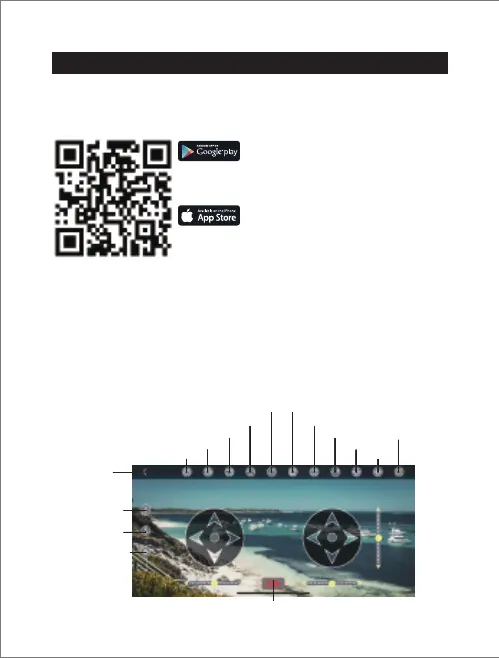
Scan the QR code below or search "Tomzon-V" in App Store or
Google Play to download the App.
1. Turn on the drone.
2. Enter the “Settings” menu of your mobile device.
3. Then turn on “Tomzon_D28_xxxxxx” and connect to the WIFI of
the drone.
4. Open the APP, you would see the real-time video from the drone
camera, and you now can start your flight.
Download the App
APP control interface
Connect to the APP:
Tomzon-V
- 16 -
For smart phone with Android 5.0+:
Search and download " Tomzon-V " from
Google Play. Or scan the QR code below to
download.
For smart phone with iOS 9.0+:
Search and download " Tomzon-V " from App
Store. Or scan the QR code below to download.
EN
Main interface
One key take off
One key landing
One key calibration
Emergency stop
Take a picture
Take a video
Media Library
Speed adjust(30%,60%,100%)
music mode Gravity sensor
The lens flip
Path flight
3D Flip
Virtual stick switch
Headless mode


 To Next Page