EasyManua.ls Logo

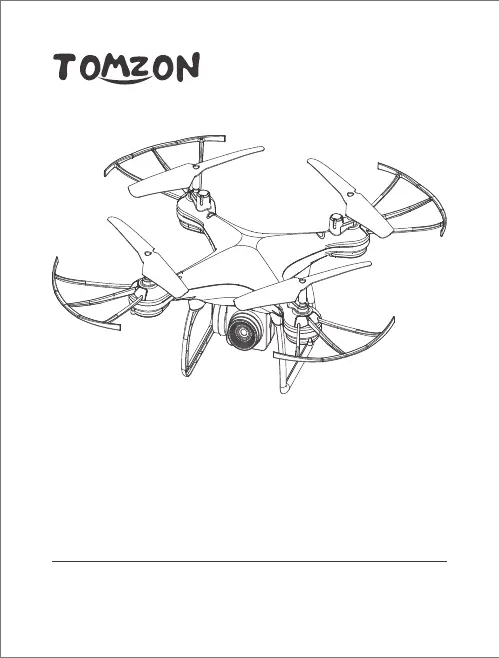
TOMZON D28 - User Manual

TOMZON D28
40 pages
Print Icon
To Next Page IconTo Next Page
Loading...
D28 Drone
User Manual
Web: www.tomzontoys.com/
FB: www.facebook.com/tomzonofficial/
Email: support@tomzontoys.com
support.it@tomzontoys.com
support.es@tomzontoys.com
support.jp@tomzontoys.com
support.de@tomzontoys.com
support.fr@tomzontoys.com
support.uk@tomzontoys.com

Questions and Answers

Summary

Disclaimer and Warnings

Safety Guidelines

Check Before Use

Perform thorough checks of the drone and transmitter before each use for safe operation.

Safe Flight Environment

Ensure the flying area is clear of obstacles and people, and fly within safe distances.

Use of Battery

Package List

Drones Installation

Insert the Camera

Connect the camera tabs into the drone's couplings and then connect the cables.

Install Landing Gears

Insert one end of the landing gear into the drone arm's cross groove and rotate to secure the other end.

Install Blade Guards

Insert blade guards into the drone arms in a positive and horizontal direction for protection.

Charge Drone Battery

Remove battery, connect USB charger to computer, then connect battery to charger.

Controller Functions

Controller Setup

Install Controller Batteries

Unscrew the battery cover, insert 4xAA batteries following correct polarity, and re-attach the cover.

Install Phone Holder

Describes how to remove and install the mobile phone holder onto the controller.

Based on the Flight

Pairing Your Drone to the Controller

Turn on the remote control and then the drone, place on a flat surface, and push the left stick to initiate pairing.

Flying Your Drone

Taking Off and Landing

Describes methods for taking off and landing the drone, including one-key operations.

Altitude and Rotate Control

Use the throttle left stick to control the drone's altitude and rotation during flight.

Directional Control

Use the right stick to control the drone's movement in all directions during flight.

Trimming

Use trim buttons to correct unprompted drone sway and stabilize flight.

Headless Mode

Activate headless mode to fly the drone in the selected direction, regardless of its orientation.

Speed Modes

Select between three speed modes (40%, 60%, 100%) indicated by controller beeps.

Take a Photo

Press the photo button to take a picture; drone LEDs blink once and controller beeps.

Record Video

Press the video button to start recording; LEDs blink continuously and controller beeps twice. Press again to stop.

Emergency Stop

Press and hold the transmitter button to immediately stop the drone's motors in emergencies.

One Key Start and Stop

Use the 'take off and landing' button for automatic takeoff and the stop button for landing.

360 Degree Flips

Perform 360 degree flips by pressing the flip button and moving the right stick in the desired direction.

Auto Return Button

Press the auto return button for the drone to automatically return to its takeoff point.

Calibration

APP

Download the App

Scan QR code or search "Tomzon-V" on App Store or Google Play to download the mobile application.

Connect to the APP

Turn on the drone, connect mobile device to drone's WIFI, and open the app for real-time video.

Specification

Trouble Shooting

FCC

TOMZON D28 Specifications

General IconGeneral
ModelTOMZON D28
Camera Resolution4K
GPSNo
Headless ModeYes
Altitude HoldYes
One Key Takeoff/LandingYes
Speed Modes3
LED LightsYes
CategoryDrone
Video Resolution4K
Control Range4921ft/1500m

Related product manuals