5
3. Description
3.1. Front panel
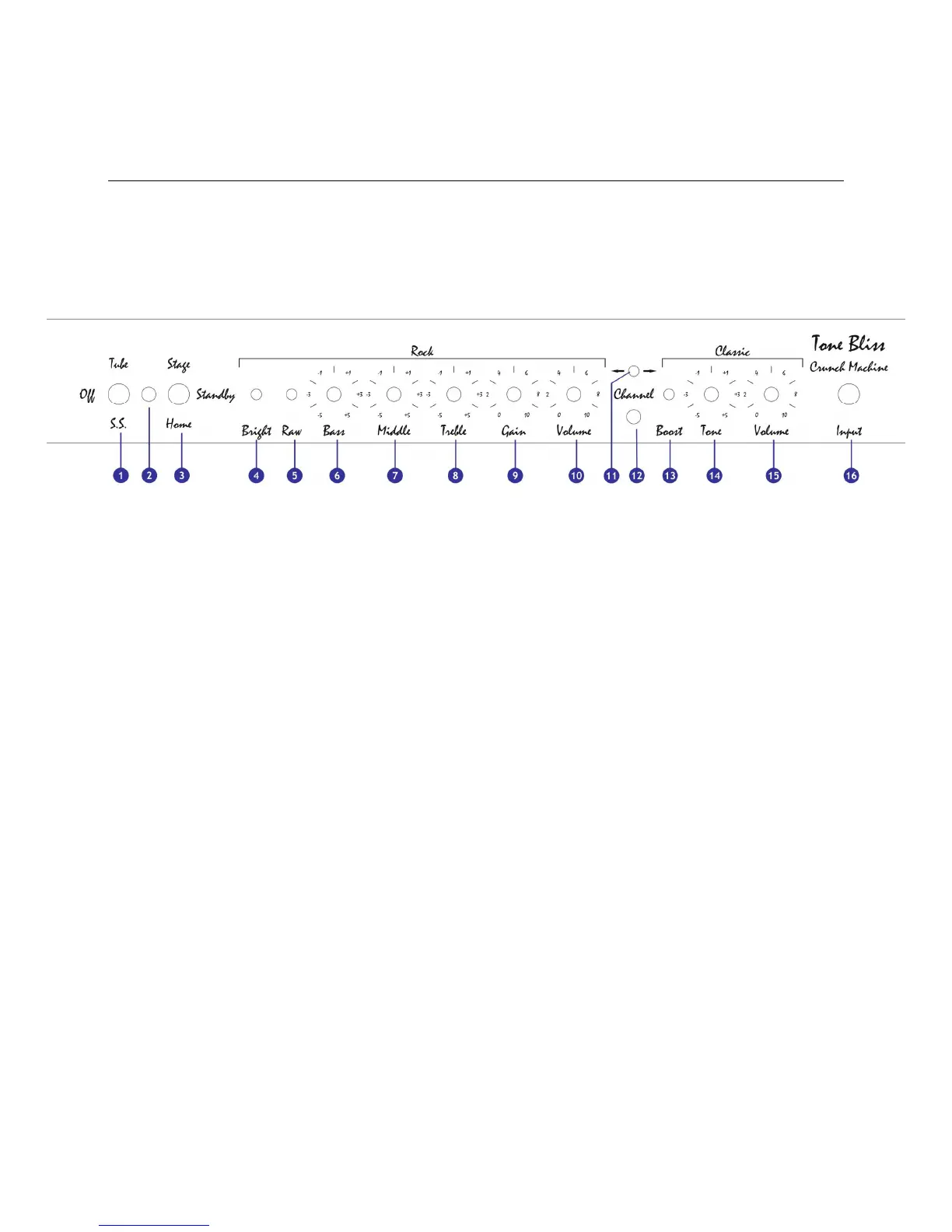
Below is a representation of the
Crunch Machine’
s faceplate:
You will find the following controls:
[1] Power : powers-up the amplifier and allows to choose the rectifier mode
[2] Power indicator
[3] Standby : puts the amplifier in standby mode or activates the amplifier with the
selected power level
[4] to [10] Rock channel: see chapter 7
[11] Channel switch
[12] Channel indicator
[13] to [15] Classic chanel: see chapter 6
[16] Input : guitar input connector



 To Next Page