6
3.2. Rear panel
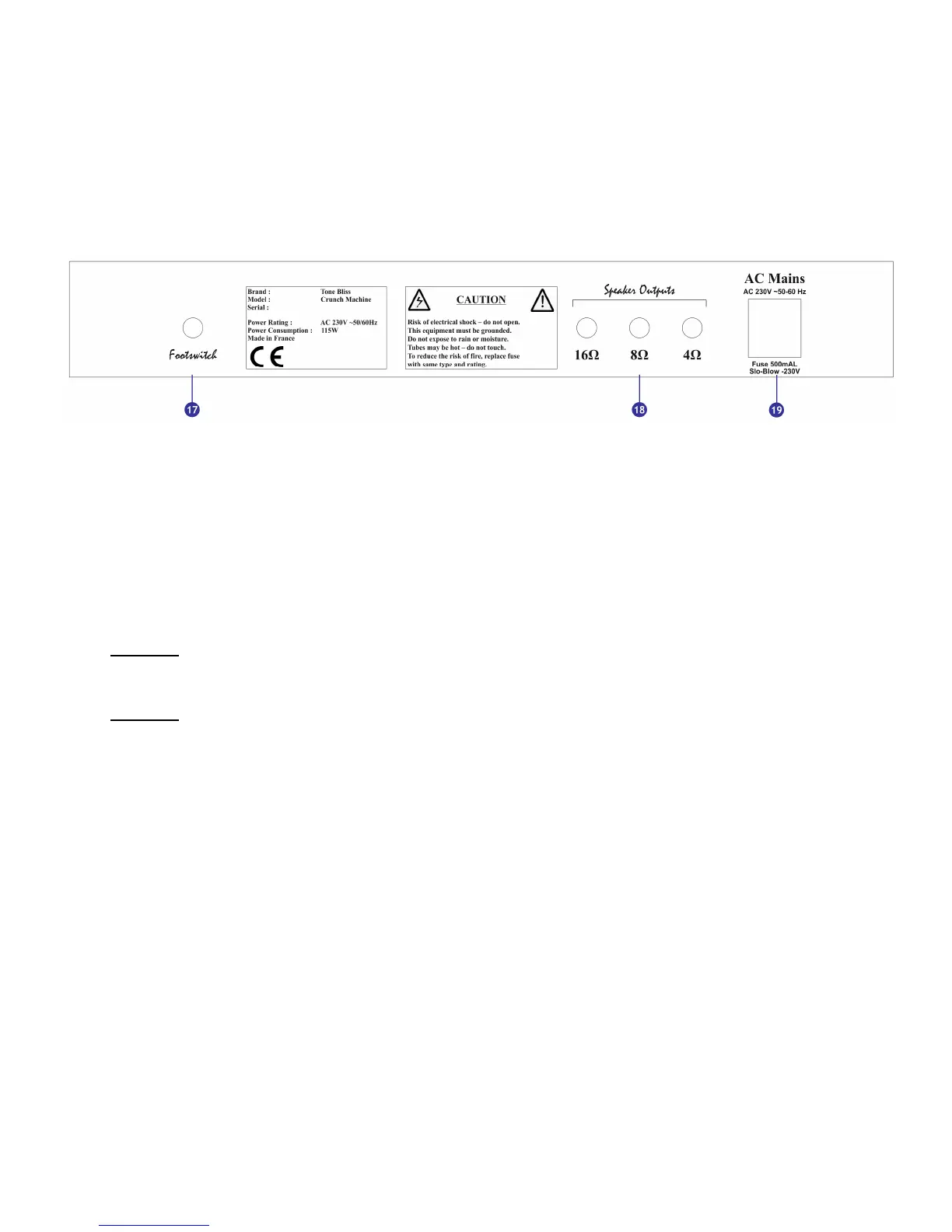
Below is a representation of the
Crunch Machine’s
rear faceplate :
You will find the following controls :
[17] Footswitch : allows to connect a footswitch to control the amplifier
[18] Speaker outputs : allow to connect your speakers to the amplifier. 3 outputs are
available, each one corresponds to a specific impedance: 4Ω, 8Ω or 16Ω.
[19] AC Mains : connects the amplifier to the power outlet. The AC Mains connector
includes a fuse compartment to protect the amplifier from electrical problems.
Warning : use only one speaker ouput [18] to connect your load to the amplifier. Do not use
two speaker output connectors at the same time.
Warning : if your fuse blows, replace it only with a fuse having the same specifications
(500mA, 230V – Slow Blow)



 To Next Page