TH2821A OPERATION MANUAL
17
Chapter 3 Operation
3.1 Power on
1. Press POWER key to turn on TH2821A.
2. The operation system version will be displayed.
3. At last the instrument enters the measurement state.
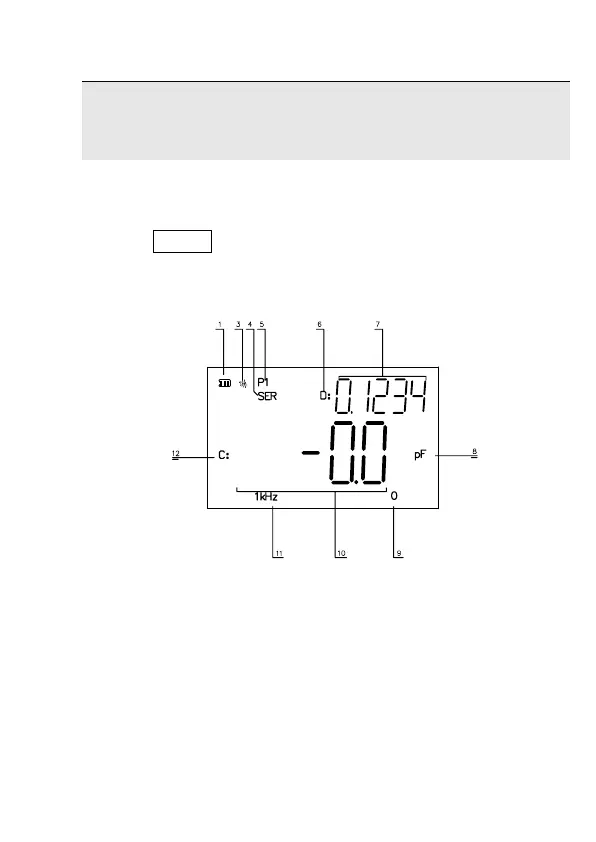
Figure 4-1 Measurement Display
Measurement display description:
1. Battery Supply 3. Beeper ON
4. Series Circuit 5. Sorting Result: P1
6. Parameter D 7. Secondary parameter
8. Unit 9. Range 0 (Auto)
10. Primary parameter 11. Frequency: 1 kHz
12. Parameter C



 To Next Page