OPERATION AND USE
Note: Whenever the tester is connected to a battery, it will perform a quick check of the cable to ensure proper connec-
tion. If the connection is good, the tester will go to the home screen. If the connection is bad, the display will show
«CHECK CABLE». In this case, check the cable connections. The clamps may need to be reconnected to the battery or
the cable may need to be replaced if its ends are damaged.
1- Ensure that the area is well ventilated before performing a test.
2- Tester for 12 V batteries and systems for 12 & 24 V charging (Only 12 volt for START & STOP batteries)
3- Before running a test on the battery, make sure the ignition is o, the accessories are also o. Close all the doors
and the boot.
4- Recommended operating temperature: From 0°C (32°F) to 50°C (122°F)
5- Make sure the battery terminals are clean. If necessary, clean them using a wire brush.
Any presence of oxidation between the tester terminals and the battery connectors or between the battery
connectors and the battery terminals reduces the eectiveness of the tester.
6- Connect the negative (black) terminal to the negative terminal of the battery. Connect the positive plug (red) to the
positive terminal of the battery.
MAIN MENU
Once the clamps are connected, the tester automatically displays the main menu. Use the arrows to scroll through
the main menu features.
Features Display screen Action
Battery test
1/5
BATTERY TEST
XX.XX V
Press "ENTER" to do a battery test
System test
2/5
SYSTEM TEST
XX.XX V
Press "ENTER" to test the system
Vehicle test
3/5
IN-VEHICLE TEST
XX.XX V
Press "ENTER" to do a vehicle test
Selection of the language
4/5
LANGUAGE
SELECT
Press "ENTER" to change the lan-
guage
Brightness
5/5
BRIGHTNESS
Press "ENTER" to adjust the
brightness of the screen.
BATTERY TEST
1. Select «Battery Test» from the main menu and press «ENTER»
2. Press
to select «REGULAR / STANDARD» or «START / STOP»
3. Press button to select the battery type. Press «ENTER» to conrm.
5. Press the key to select the standard (EN, CCA, CA, MCA, JIS, DIN, IEC, SAE, GB)
CCA / SAE : 40~2000
EN: 40~1885
DIN: 25~1120
IEC: 30~1320
JIS: By Battery Type No
CC / MCA : 50~2400
6. Press the button to enter the battery capacity (shown in Ah-hour amp)
7. Conrm the ambient temperature above 0 ° (32 ° F) by pressing «ENTER».
8. Follow the instructions of the tester.
Before starting the test, it is possible to return to the main menu by pressing «ENTER» for 2 seconds.
8
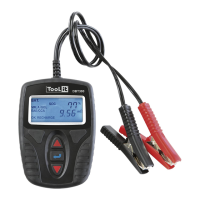
BATTERY TESTER DBT 350
EN
Translation of the original instructions



 To Next Page