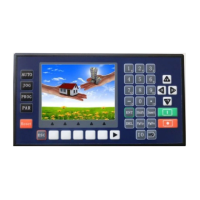
Pars Set: Parameters settings. Click to enter the parameter setting interface, including
Sys Pars(System parameters), Sys SC(System self-check), IO Set(IO
settings), Usr Mgmt(User management).
X
X
X
X
:
The current coordinate position
Y
Y
Y
Y
:
The current coordinate position
Z
Z
Z
Z
:
The current coordinate position
F
F
F
F
:
The current running speed
Unit: subject to the selected electronic gear calculation formula. When electronic gear
default is 1:1, the unit default is the pulse number.
100%
100%
100%
100%
:
the speed percentage (rate) of the current F value
P
P
P
P
:
the countdown of loops
T
T
T
T
:
the countdown of delay time
2.
2.
2.
2. The
The
The
The Key
Key
Key
Key area
area
area
area
F1
F1
F1
F1
:
In the current state, the function key corresponding to the F1 key position, is
valid in the current state.
F2
F2
F2
F2
:
In the current state, the function key corresponding to the F2 key position, is
valid in the current state.
F3
F3
F3
F3
:
In the current state, the function key corresponding to the F3 key position, is
valid in the current state.
F4
F4
F4
F4
:
In the current state, the function key corresponding to the F4 key position, is
valid in the current state.



 To Next Page