6 TOPCOM TWINTALKER 1302/RC-6400 DUO COMBI PACK
TOPCOM TWINTALKER 1302/RC-6400 DUO COMBI PACK
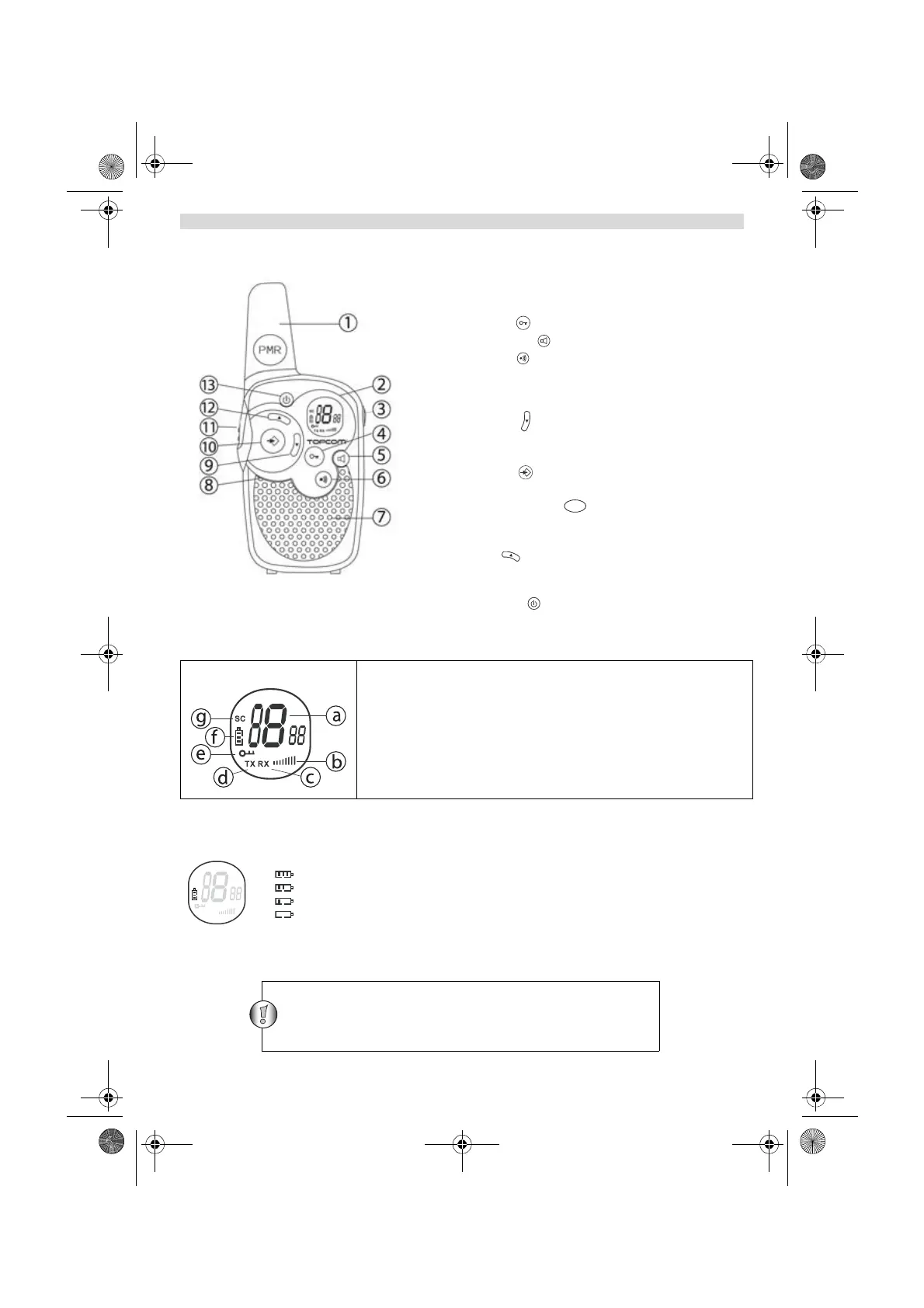
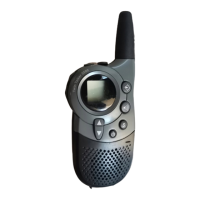
10 BUTTONS
1. ANTENNA
2. LCD Display
3. SPEAKER/MIC/CHARGER Connector
4. LOCK button
5. MONITOR button
6. CALL button
- Transmit a call tone
7. SPEAKER
8. MICROPHONE
9. DOWN button
- Decrease the speaker volume
- Select the previous item in the menu.
10. MENU button
- Enter menu.
11. PUSH TO TALK button
- Press To Talk or release to listen
- Confirm a setting in the menu
12. UP button
- Increase the speaker volume
- Select the next item in the menu.
13. ON/OFF button
11 LCD DISPLAY INFORMATION
12 BATTERY CHARGE LEVEL/LOW BATTERY INDICATION
The BATTERY CHARGE LEVEL is indicated by the number of squares present inside the BATTERY icon on the LCD
Screen.
Battery Full
Battery 2/3 charged
Battery 1/3 charged
Battery empty
When the BATTERY CHARGE LEVEL is low, the BATTERY icon will flash to indicate that the batteries need to be
replaced or recharged.
a. Channel number
b. Speaker Volume
c. RX icon - Displayed when receiving a signal
d. TX icon - Displayed when transmitting a signal
e. Lock icon - Displayed when the keypad is locked.
f. Battery charge level indicator
g. Scan icon - Displayed when scan mode is active
PT
Dispose of batteries at a designated battery disposal unit and
not in the household waste. Do not short-circuit & dispose of in
fire. Remove the batteries if this device is not going to be used
for a long period.
HL_TT1302 Duo Combi Pack.book Page 6 Monday, January 14, 2013 3:54 PM





 To Next Page