
 Need help?
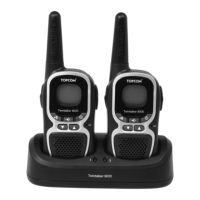
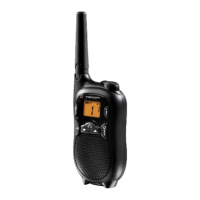
Do you have a question about the Topcom Twintalker 9100 and is the answer not in the manual?
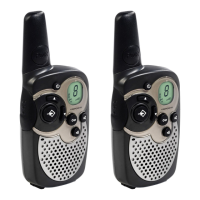
Can be used for professional or recreational purposes like car communication or keeping contact with children.
Check local regulations before using the device outside the country of purchase.
CE symbol indicates compliance with R&TTE directive; (!) symbol notes PMR restrictions in some European countries.
Read safety information carefully and keep the manual for future use.
Avoid touching damaged antennas and keep batteries away from conductive materials.
Avoid airbag areas, keep away from pacemakers, and turn off in explosive atmospheres.
Keep batteries away from small children.
Follow driving, aircraft, and facility usage rules; do not modify antennas.
Do not touch the antenna while transmitting; remove batteries for long periods.
Wipe with a soft cloth; do not use cleaners. Dry thoroughly if unit gets wet.
Dispose of the product at designated electrical/electronic equipment collection points for recycling.
Set same channel and CTCSS code; use PTT button to transmit.
Conversations are not private; others on the same channel can overhear.
Basic setup instructions for the device.
Instructions for removing and installing the belt clip on the unit.
Steps to install the rechargeable battery pack, noting polarity and cover re-installation.
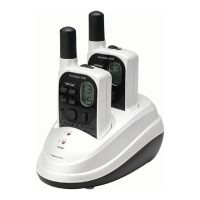
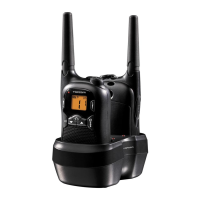
Instructions for using the desktop charger and expected charging time.
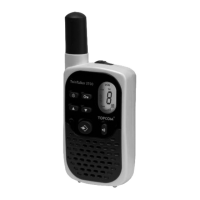
Details on the purpose of each button on the Twintalker 9100.
Explanation of icons and codes displayed on the LCD screen.
The battery icon on the LCD shows the charge level; it flashes when low.
Setting the time and using the stopwatch feature.
Press and hold the ON/OFF button to activate or deactivate the unit.
Use the UP and DOWN buttons to adjust speaker volume shown on LCD.
Unit is in RECEIVE mode when ON; RX icon displays incoming signals.
Press and hold PTT to transmit; speak into the microphone 10 cm away.
Press UP/DOWN buttons to select channel, PTT to confirm.
Set CTCSS codes on the same channel for private communication.
Check for weaker signals by pressing and simultaneously.
Voice activated transmission; adjust sensitivity or turn OFF.
Searches for active signals; pauses on detection, press PTT to communicate.
Alerts others; set call tones or send a call tone briefly.
Unit can vibrate when receiving a call tone; enable or disable it.
A beep confirms when transmission has stopped; enable or disable.
Unit beeps when a button is pressed; enable or disable.
Monitor a second channel simultaneously with the standby channel.
Activates/deactivates button lock to prevent accidental presses.
Connect optional external microphone and speaker headsets to the unit.
Press for emergency; emits a very high alert tone.
Use the enclosed car charger for the rechargeable battery pack.
Details on channels, CTCSS, frequency, range, batteries, power, modulation, and spacing.
Information regarding warranty period, handling, and exclusions.
24-month warranty starts on purchase date; consumables not covered.
Faulty units must be returned to an authorized service centre with proof of purchase.
Excludes damage from misuse, non-original parts, external factors, or tampering.
 General
| Maximum range | 10000 m |
|---|---|
| Operating frequency | 446 MHz |
| Charger | 2 |
| Belt clip | Yes |
| Battery type | AAA |
| Number of batteries supported | 4 |
| Call rings quantity | 5 |



 To Next Page
