8 TOPCOM TWINTALKER 1302/RC-6400 DUO COMBI PACK
TOPCOM TWINTALKER 1302/RC-6400 DUO COMBI PACK
14.6 MONITOR
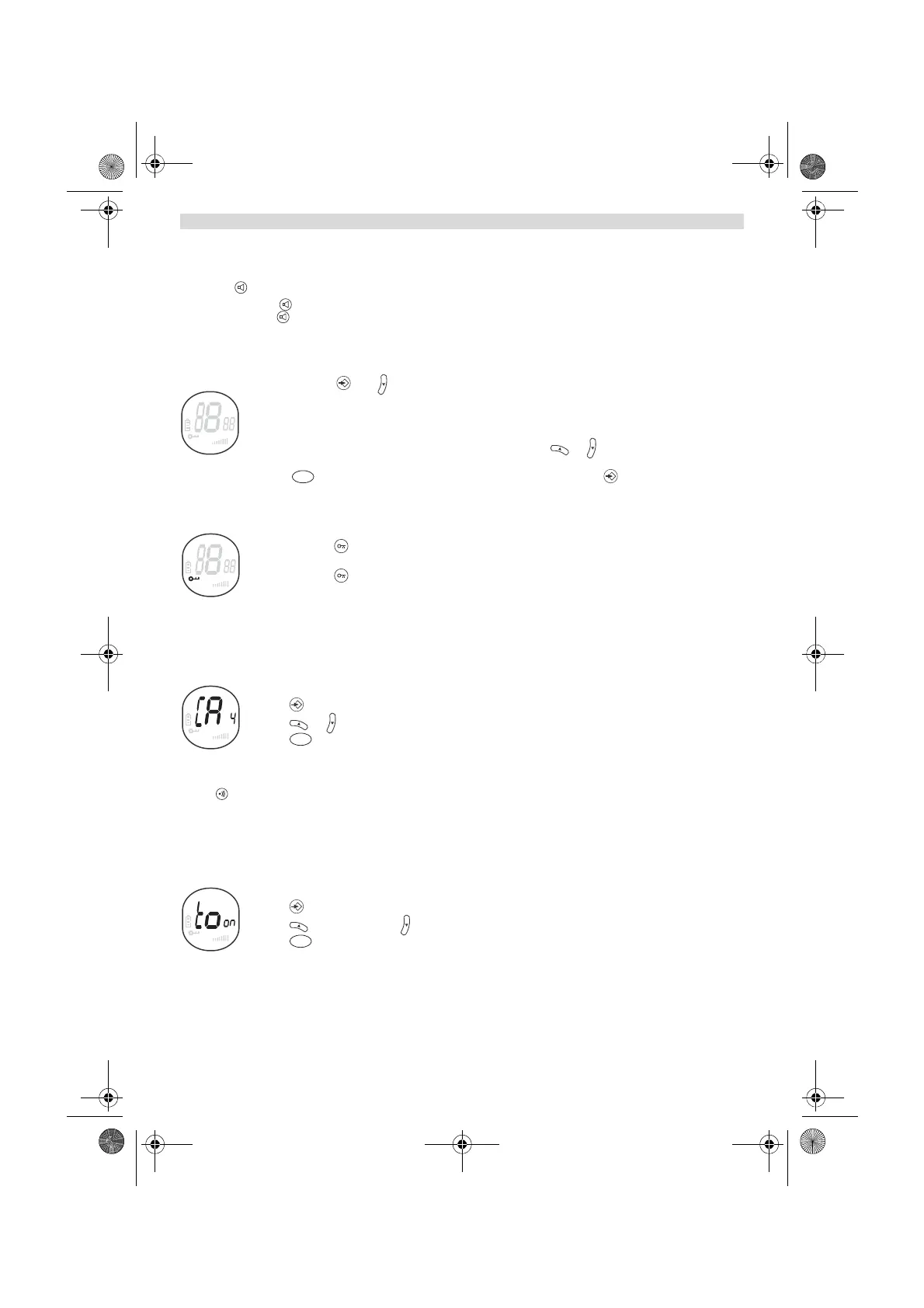
You can use the MONITOR feature to check for weaker signals in the current channel.
• Press button for normal monitoring .
• Press and hold . After 5 seconds you can release the button. You are now continuous monitoring the channel
until you press again.
14.7 CHANNEL SCAN
CHANNEL SCAN performs searches for active signals in an endless loop from channel 1 to 8.
• Press and hold and for 2 seconds.
• Release the buttons.The channel on the display changes as it scans through the channels.
• When an active signal (one of 8 channels) is detected, CHANNEL SCAN pauses and you will hear the
active signal.
• When an active signal (one of 8 channels) is detected, press or to bypass the current channel
and continue to search for another active channel
• Press to communicate through the active signal channel or press to deactivate channel
scan.
14.8 BUTTON LOCK
• Press and hold for 2 seconds to activate or deactivate the BUTTON LOCK mode. The BUTTON
LOCK icon is displayed on the LCD Screen.
• Press and hold again to deactivate BUTTON LOCK
14.9 CALL TONES
A call tone alerts others that you want to talk.
a. Setting the Call Tone
5 different Call Tones can be selected.
• Press 2 times. CA will be displayed.
• Press or to select another call tone or select OF to enable call tones.
• Press to confirm your selection and return to the standby mode.
b. Sending a call Tone
Press briefly. The call tone will be transmitted for 3 seconds on the set channel.
14.10 KEY-TONE ON/OFF
When a button is pressed, the unit will beep briefly.
To set the key-tone.
• Press 3 times. ‘to’ will be displayed.
• Press to enable (ON) or disable the key-tone (OF).
• Press to confirm your selection and return to the standby mode.
SC
TX RX
PT
PT
HL_TT1302 Duo Combi Pack.book Page 8 Monday, January 14, 2013 3:54 PM







 To Next Page