6
TOPCOM Time Master 500
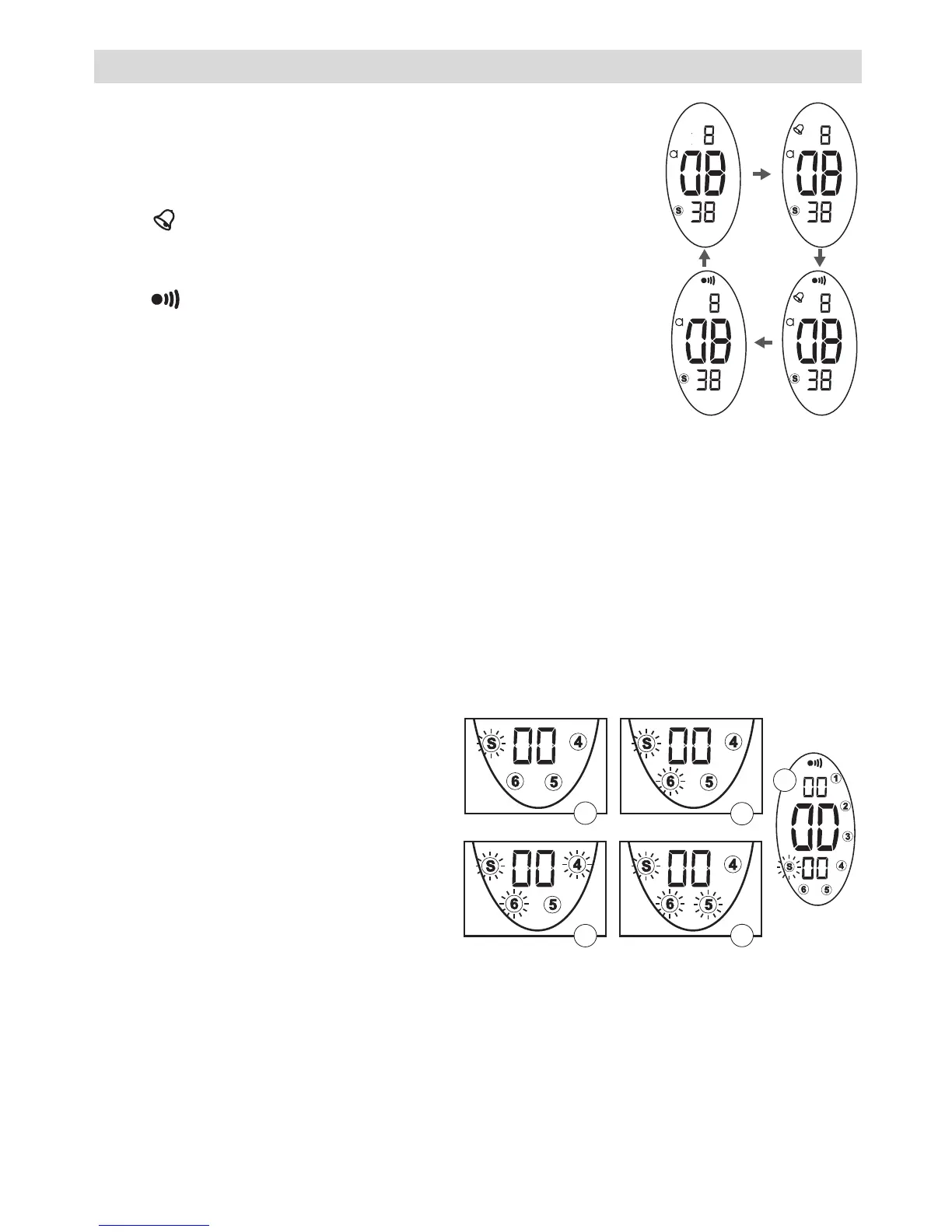
5.4.1 TO ACTIVATE THE ALARM
• Press and hold the [lap/reset] button.
• While holding the [lap/reset] button, press the
[st./stp.] button to switch the Hourly Chime on
‘ ’. Each hour, a tone will be audible.
• While holding the [lap/reset] button, press the
[st./stp.] button again to switch the Alarm on
‘’.
• While holding the [lap/reset] button, press the
[st./stp.] button again to switch the alarm and
once again to switch the Hourly Chime off.
5.4.2 TO TEST THE ALARM
• Press and hold the [lap/reset] button and the [st./stp.] button
together. The alarm will sound.
5.4.3 ALARM SOUND OFF
• When the alarm sounds, press the [lap/reset] button to switch the
alarm off.
6 CHRONOMETER
In Time mode:
1. Press the [mode] button to
switch to Chronometer
mode.
2. Press the [st./stp.] button to
start.
3. Press the [lap/reset] button
while the chronometer is run-
ning.
The lap time is displayed
and the chronometer runs in
the background.
Press the [lap/reset] button again to return to chronometer mode.
4. Press the [st./stp.] button to stop the chronometer.
5. When stopped, press the [lap/reset] button to reset the chronometer.



 To Next Page