5
ENGLISH
TOPCOM Time Master 500
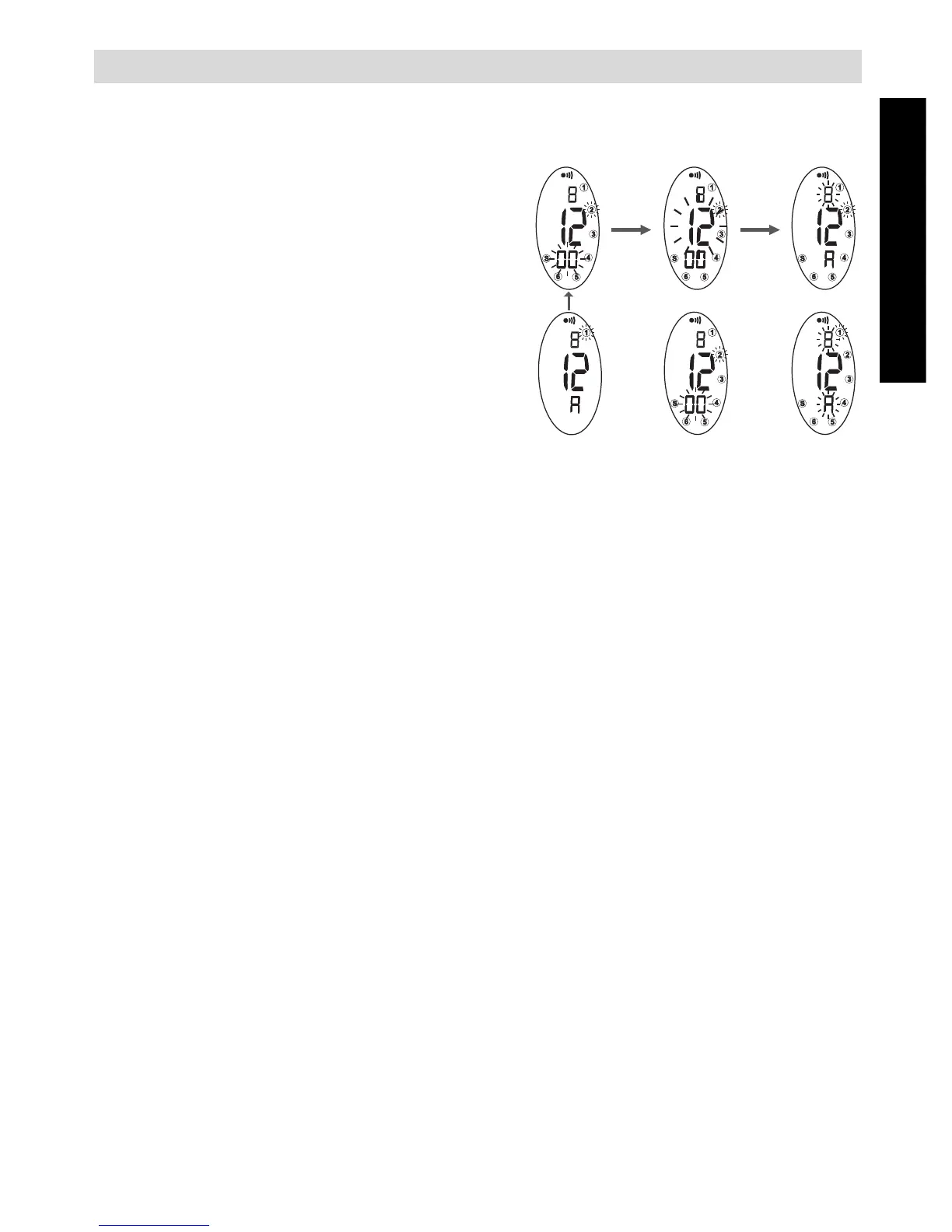
5.2 TIME SETTING
In Time mode:
• Press and hold the [mode] button
for more than 3 seconds.
• Release the button and press once
the [mode] button again. The
Tuesday flag (2) and the seconds
will blink on the display.
• Press the [lap/reset] button to
reset the seconds.
• Press the [st./stp.] button to con-
firm. The minutes are flashing.
• Press the [lap/reset] button to
change the minutes.
• Press the [st./stp.] button to confirm.
• Follow previous steps to change hour, months and day.
• Press the [mode] button for final confirmation. The time will be dis-
played.
5.3 MONTH/DATE POSITION INTERCHANGE
In Time mode:
• While pressing and holding the [st./stp.] button, press the [lap/reset]
button to interchange date and month.
5.4 ALARM SETTING
In Time mode:
• Press and hold the [mode] button for more than 3 seconds. The Mon-
day flag (1) and the alarm hour will blink on the display.
• Press the [lap/reset] to change the hour.
• Press the [st./stp.] button to confirm. The minutes are flashing.
• Press the [lap/reset] to change the minutes.
• Press the [mode] button to confirm.



 To Next Page