30
$QVZHULQJPDFKLQH 8OWUD5DQJH
There are 2 possibilities:
• With OGM 1, the caller has the possibility to leave a message
• With OGM 2, only the outgoing message is given without the
caller having the opportunity to leave a message
The maximum recording time for each incoming message is 3 min.
The display on the handset will give various information during
playback of the messages, such as day and time of the call.
/('GLVSOD\
The LED display on the base indicates how many messages
you have received. When there are new messages, the LED
display on the base will blink and only indicate the amount of new
messages.
After you have listened to the new messages, the total number of
stored messages will be displayed. If the answering machine is
switched off, the LED display does not light up.
If the answering mode is set to answering only, ‘>$@’ will be shown
on the display.
When the answering machine answers a call or when it’s
controlled by the handset ‘>@’ will blink on the display.
%DVHNH\IXQFWLRQV
OGM = outgoing message
2XWJRLQJPHVVDJHV
Two outgoing messages of 2 minutes can be recorded (OGM1 and
OGM2).
• Outgoing message 1 for the answering function and possibility
for callers to leave a message.
• Outgoing message 2 for the answering function without
allowing callers to leave a messages on the machine.
11.3.1
Recording outgoing messages (OGM 1 or OGM 2)
1. Press .
2. Press or repeatedly, select ‘$16:(5
0$&+,1(’.
3. Press to confirm.
4. Press or repeatedly, select ‘5(&25'2*0’.
5. Press to confirm.
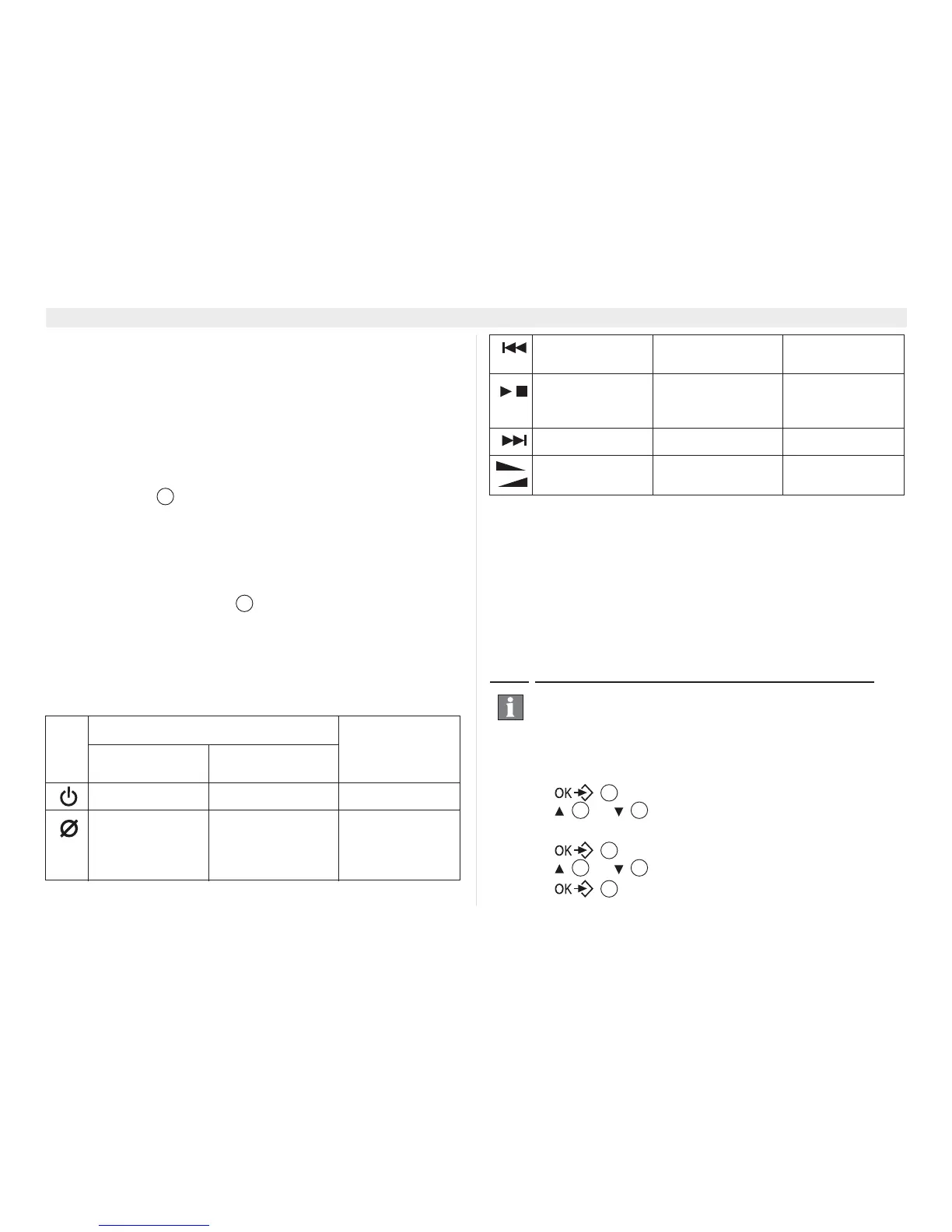
.H\
6WDQGE\PRGH
'XULQJPHVVDJH
SOD\EDFN
3UHVVNH\EULHIO\ 3UHVVNH\IRU
VHFRQGV
Answering on/off None None
None Delete all old mes-
sages. See “11.10
Erasing all
messages”
Delete current
message played
23
23
None None Go to previous
message
Play or stop the
playback of
message
None Stop playback
None None Skip message
Set volume
ringing
None Set playback
volume (0=off,1-5)
By default, a pre-recorded message is recorded for OGM
1 and OGM2. This message can be replaced by your
own message. The language of this pre-recorded
message can be set, see “11.6 Changing the language of
the answering machine”.
17
4 15
17
4 15
17















 To Next Page