7. CHECKS AND ADJUSTMENTS
20
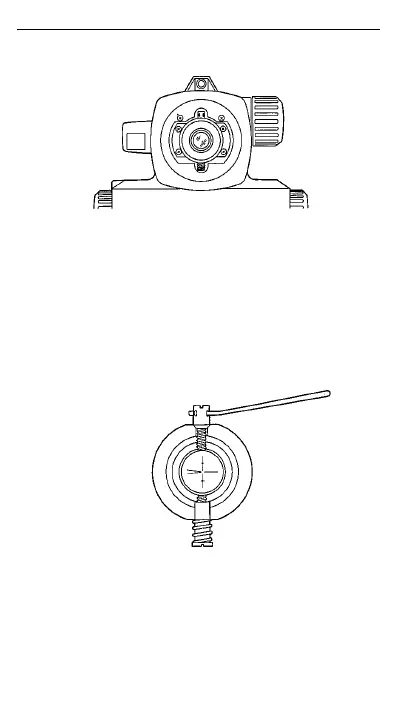
3 Unscrew and remove the adjusting screw cover.
4 Use the adjusting pin to eliminate the difference
between b2’ and b2. (See "8. STANDARD
EQUIPMENT".) In the example shown in step 2
b2’ is larger than b2. The horizontal line needs to
be lowered. To lower the horizontal line, carefully
loosen the adjusting screw by a small amount
using the adjusting pin. To raise the horizontal
line, tighten the adjusting screw.
5 Repeat steps 1 and 2 of the adjustment
procedure until the difference between b2’ and b2 is
small.


 To Next Page