9. OPTIONAL ACCESSORIES
24
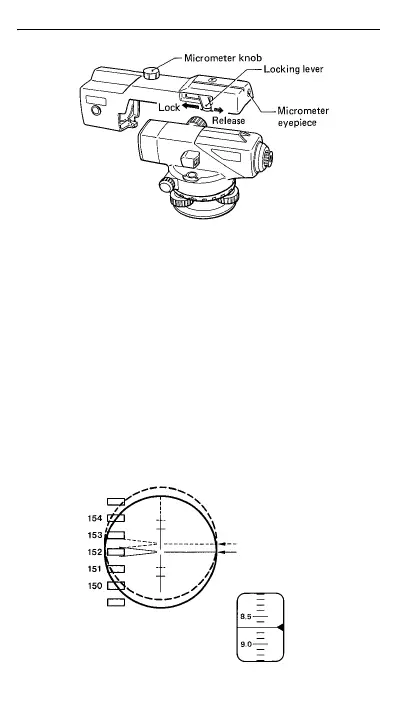
1 Mount the OM5 on the telescope of the AT-B2 and
push the locking lever fully forward to lock it. (The
lens hood should be retracted.)
2 Turn the micrometer knob to move the line of sight
until the graduation mark on the staff comes to the
middle point between the two wedge reticle lines
for an accurate reading.
3 Take the micrometer reading in the micrometer
eyepiece. One division corresponds to 0.1 mm.
4 Adding the micrometer reading to the staff
graduations reading gives the measurement value.


 To Next Page