Setup Guide TOPCON Apollo FSO - Single Liquid - Section Control
Doc. No. MAN0034 P 11 / 28
Revision. A Rev. Date 18/01/2022
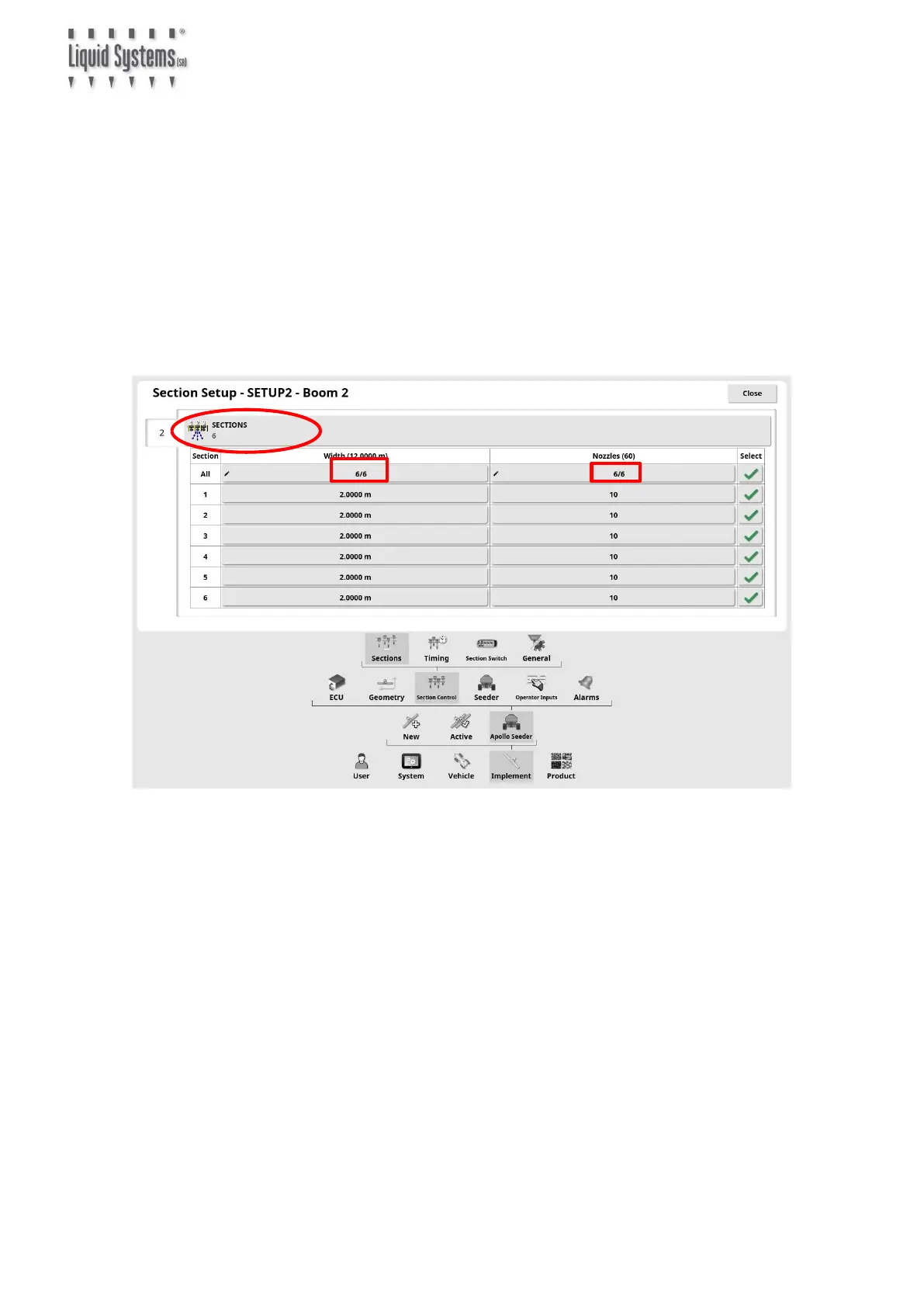
Select Implement, Section Control & Sections icons to enter section setup parameters.
Press Sections icon to enter number of sections.
Enter section width by pressing All icon to enter widths for all sections at once.
Alternatively, unequal widths can be entered for one section at a time by pressing
number corresponding to each section.
Similarly, press Nozzles icon and enter total number of liquid outlets (usually one
for each opener) for all sections or one section at a time.



 To Next Page