Setup Guide TOPCON Apollo FSO - Single Liquid - Section Control
Doc. No. MAN0034 P 19 / 28
Revision. A Rev. Date 18/01/2022
Setup On Screen Pump RPM Display
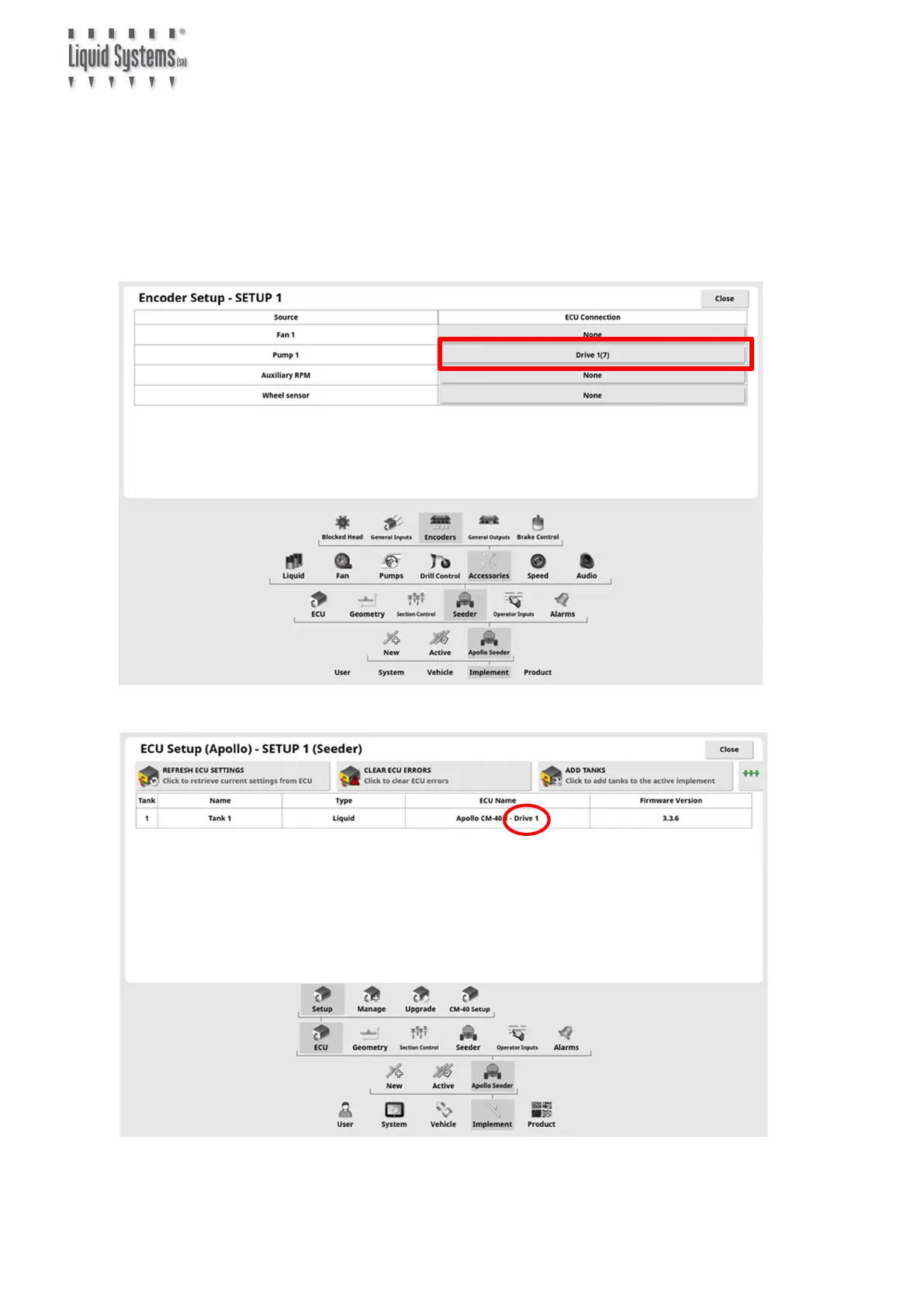
Go to Encoders Setup Page. Configure a Pump Source with appropriate ECU Connection.
Select matching drive number for the tank. If unsure, drive number assignment for the
liquid tank can be checked on ECU Setup screen.
If no Pump Source is available, configure Auxiliary RPM
Changing ECU Connection requires DEALER User access level.



 To Next Page