34
PREPARATIONS
Removal of the USB memory
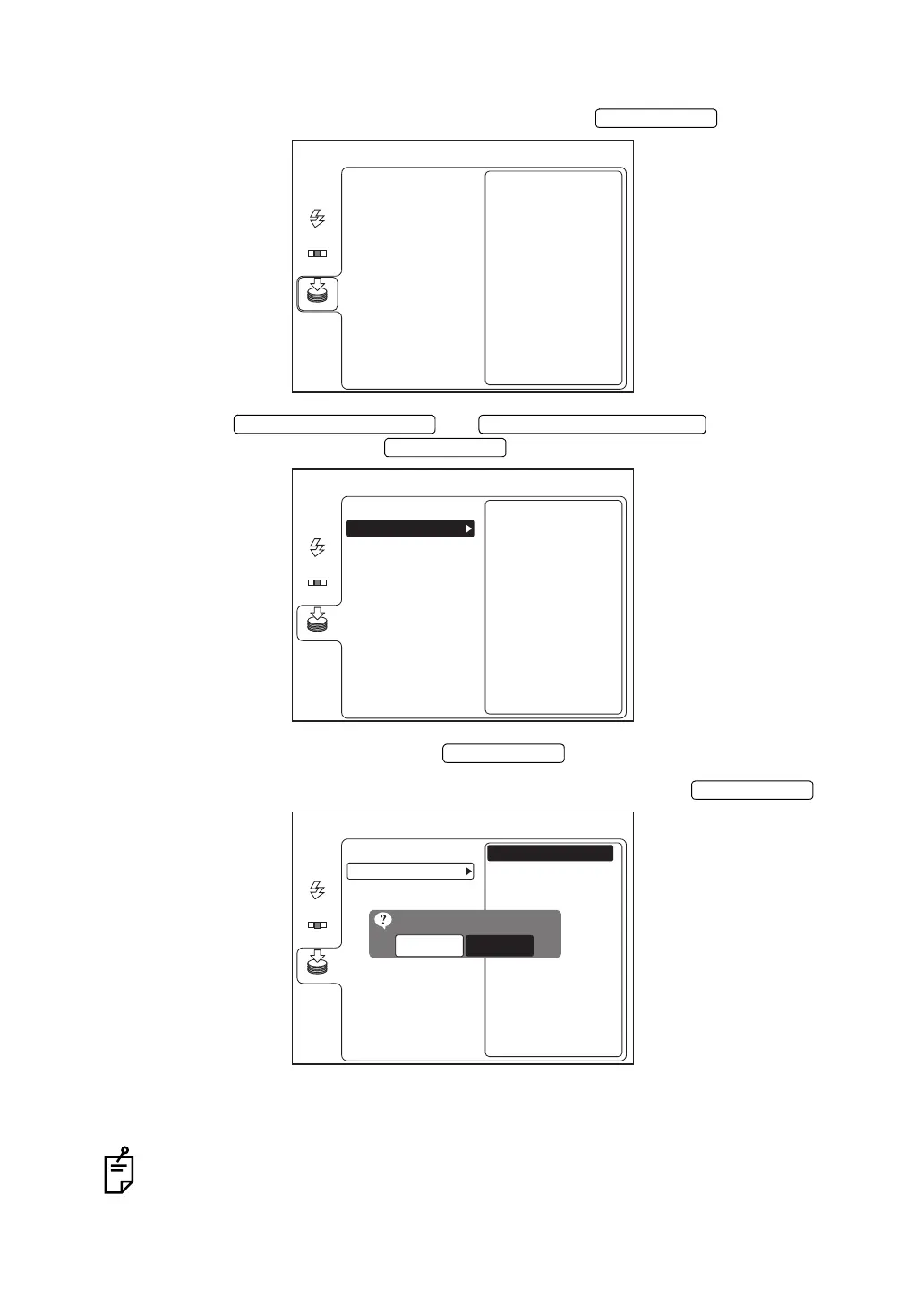
1 On the "MENU" screen, select "MEMORY" and press the .
2 Press the or to select "USB
MEMORY" and then press the .
3 Select "REMOVE" and then press the .
4 The following check screen appears. Select "OK" and then press the .
5 When the message "THE MEMORY CAN BE REMOVED." is displayed on the color LCD
monitor, remove the USB memory from the input/output terminal.
When the message "THE MEMORY CAN NOT BE STOPPED. PLEASE TRY AGAIN."
is displayed, wait for a while and repeat the procedure from Step
1.
ENTER SWITCH
MENU
USB MEMORY
AUTO
FLASH
MEMORY
CF CARD
FIXATION
UPWARD CURSOR SWITCH DOWNWARD CURSOR SWITCH
ENTER SWITCH
MENU
USB MEMORY
AUTO
FLASH
MEMORY
CF CARD
REMOVE
USB MEMORY
I-O DATA USB Flash Dis
Unused 16[MB]
Total 243[MB]
FIXATION
ENTER SWITCH
ENTER SWITCH
MENU
USB MEMORY
AUTO
FLASH
MEMORY
CF CARD
REMOVE
USB MEMORY
I-O DATA USB Flash Dis
Unused 16[MB]
Total 243[MB]
OK
REMOVE MEMORY OK?
CANCEL
FIXATION


 To Next Page
 Loading...

