39
BASIC OPERATIONS
6 Select "Set". The inputted ID is validated and the system exits from the input screen.
If you press the again, the inputted ID is canceled.
It is possible to take a picture even if the ID is not inputted.
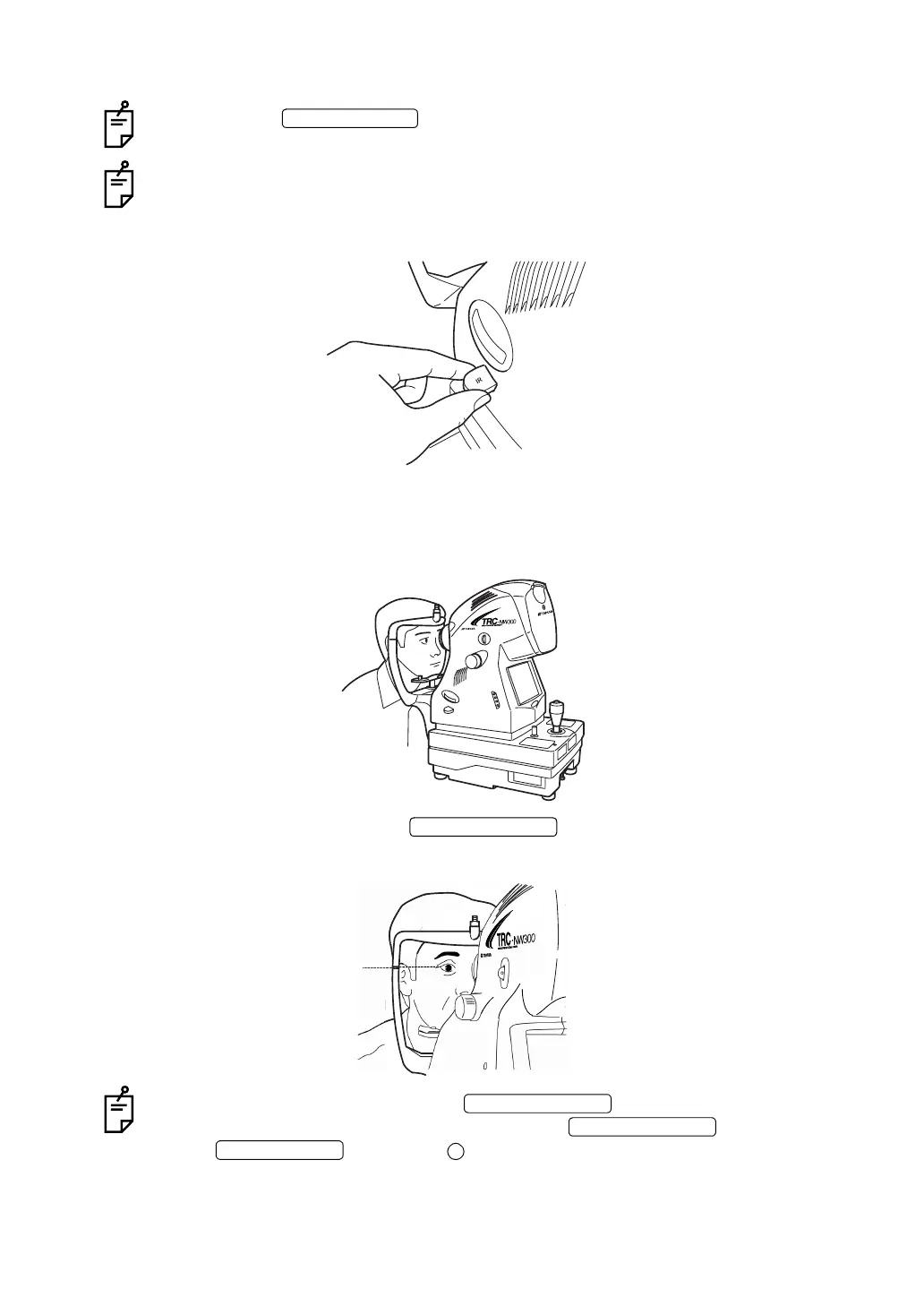
7 Make sure that the IR filter selector is on.
8 Seat patient comfortably.
9 Adjust the table height or chair height so the patient has his/her chin placed centrally on
the chinrest.
10 Adjust the chinrest height with the so the outside corner of the patient's
eye is level with the Canthus marker on the chinrest post.
The chinrest moves up/down while the is pressed.
If the chinrest does not move though you press the , it malfunctions.
Set the to the OFF ( ) side and unplug the power cord from the outlet.
Then, contact your dealer or TOPCON (see the back cover).
ID INPUT SWITCH
IR filter selector being pushed in
CHINREST SWITCH
Canthus marker
CHINREST SWITCH
CHINREST SWITCH
POWER SWITCH



 To Next Page