5
EN
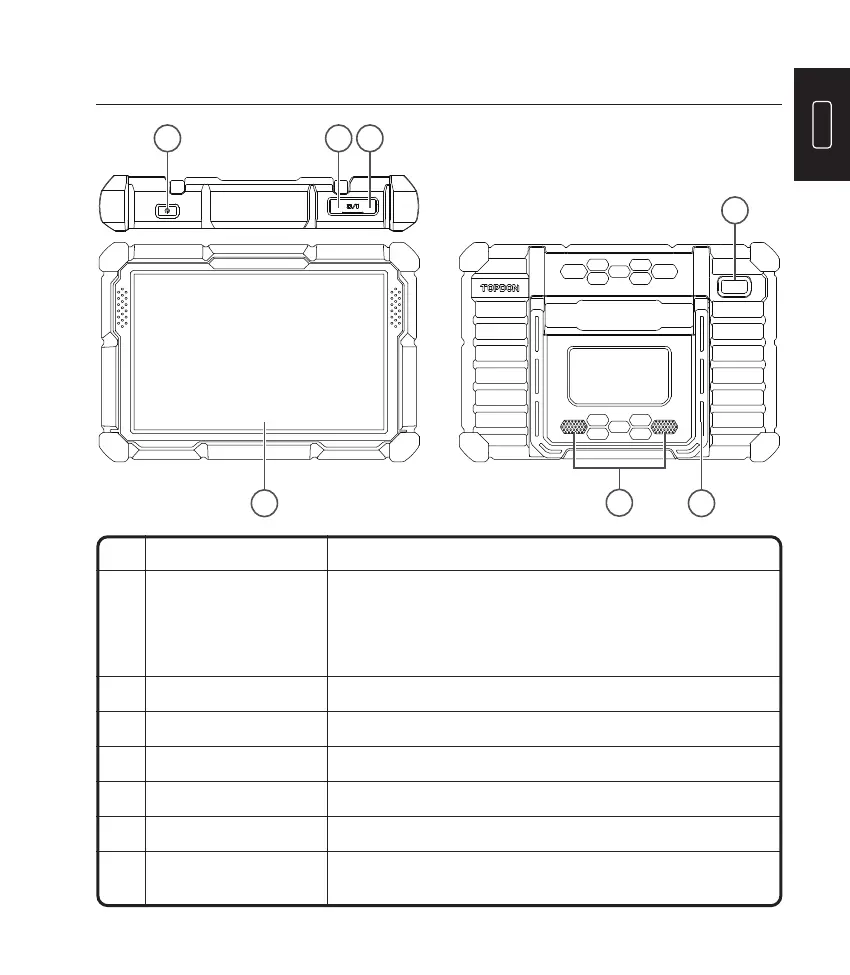
Product Descriptions
5 7
6
1
4
2 3
NO. Name Descriptions
1 Power Button
•
Hold the button for 3 seconds to turn the tablet on,
or off.
•
Hold the button for 10 seconds for a forced shutdown.
•
Press the button to wake up the screen or turn off
the screen.
2 USB Port
Can be used to charge 5V electronic devices.
3 Type C Charging Slot
For charging the tablet.
4 Rear Camera
Snapshot the view ahead of the camera.
5 10” Touchable Screen
Show test results.
6 Loudspeaker
Convert an audio signal into a corresponding sound.
7 Adjustable Stand
Keep the tablet standing at the desk, or hang the tablet on
the steering wheel.












 To Next Page