10
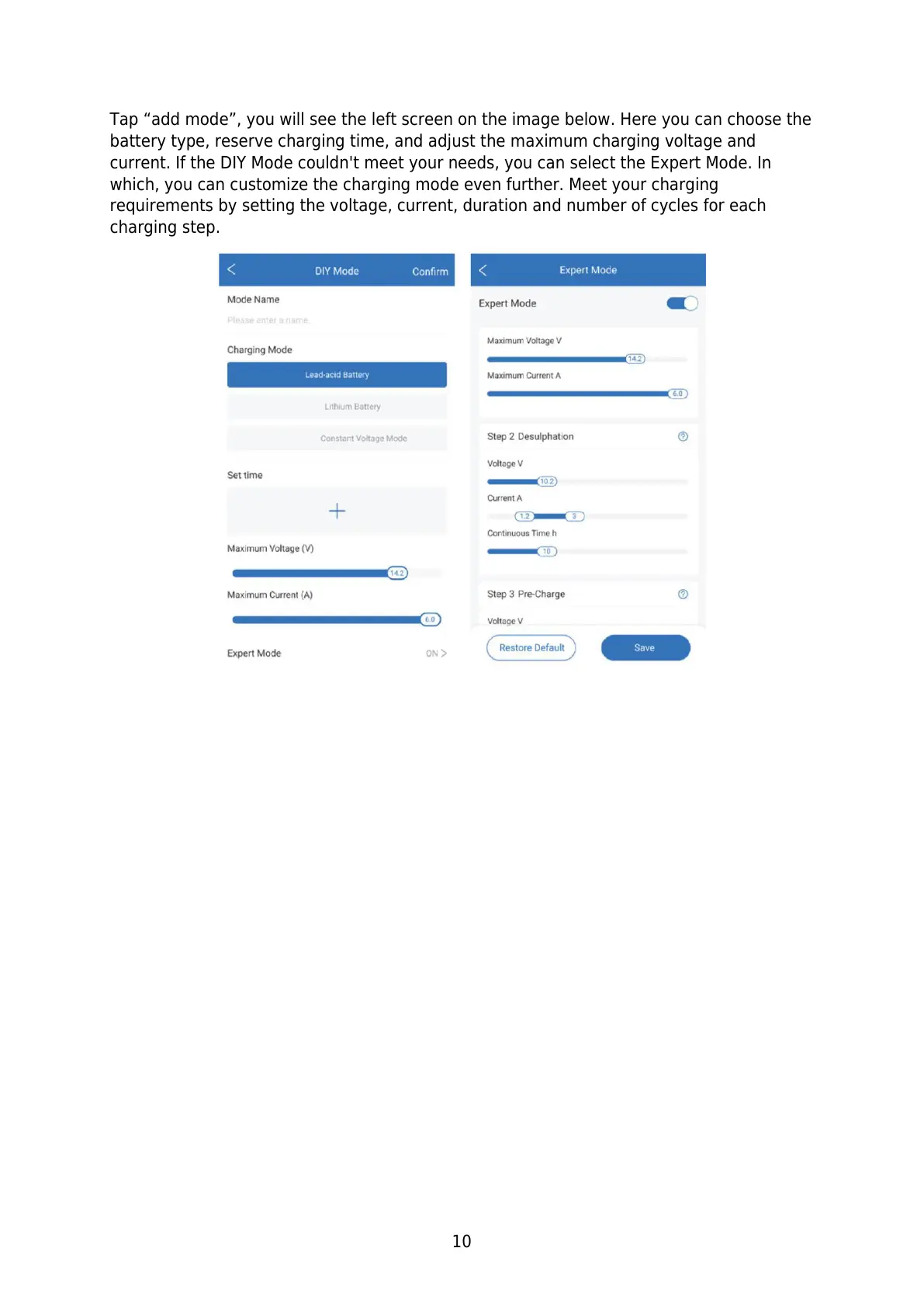
Tap “add mode”, you will see the left screen on the image below. Here you can choose the
battery type, reserve charging time, and adjust the maximum charging voltage and
current. If the DIY Mode couldn't meet your needs, you can select the Expert Mode. In
which, you can customize the charging mode even further. Meet your charging
requirements by setting the voltage, current, duration and number of cycles for each
charging step.


 To Next Page