Fig.1
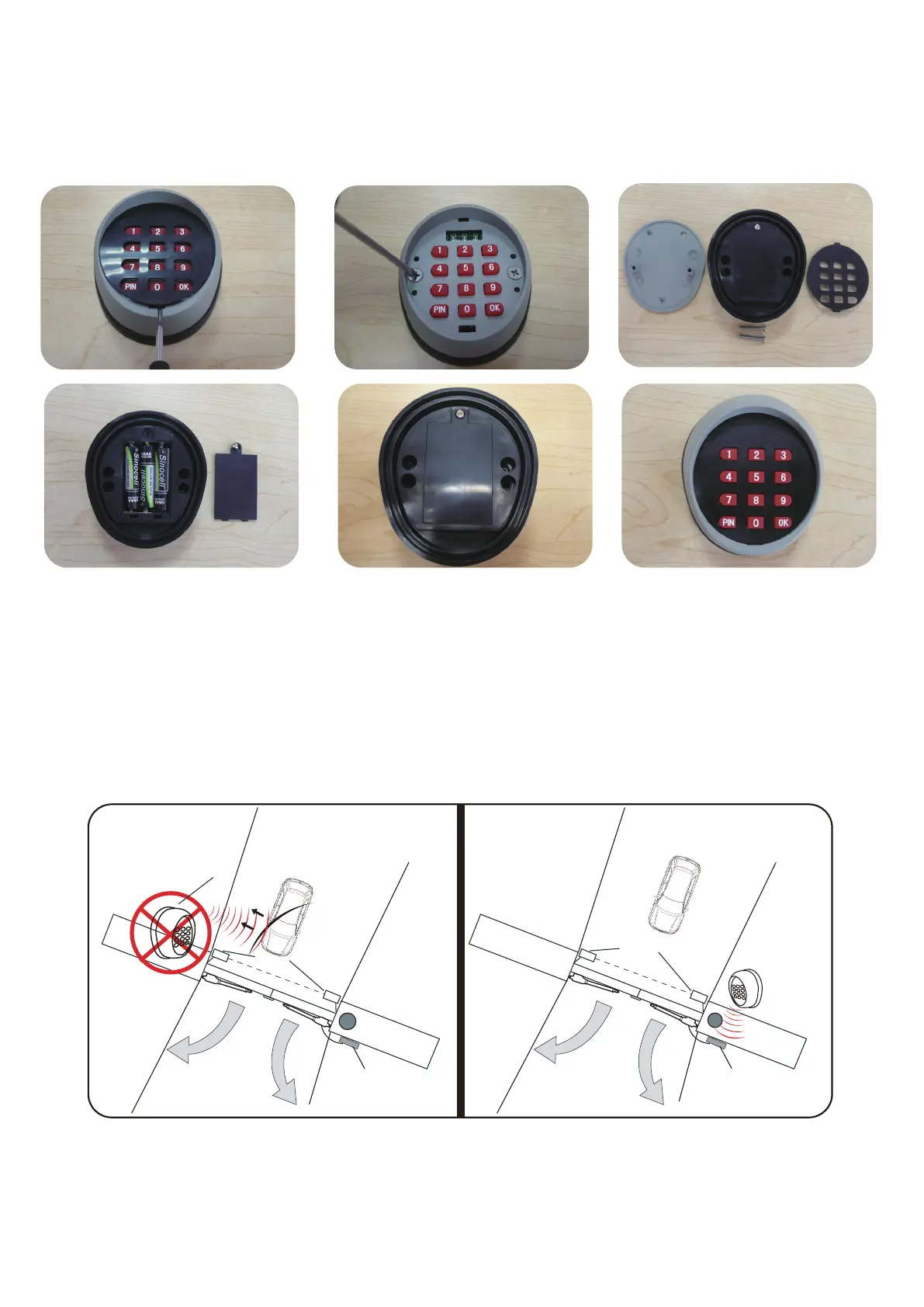
How to change the battery of Keypad
Step 1: Remove the black cover with slotted screwdriver then you will find 2 screws.
Step 2: Remove the front panel with screwdriver, uncover the battery holder and replace the battery.
Step 3: Restore the back cover and front cover with cross screwdriver.
Ref to the Figure 1~6.
2
Fig.2
Fig.2
Fig.3
The wireless keypad should be installed outside of the property (Pull to Open) and on the same
side of the driveway where the control box is installed. The distance between the keypad and control
box should not exceed 5 meters.
Mounting position suggested
If the keypad is installed on the opposite side of the driveway, the keypad operation maybe interfered by
the electromagnetic waves from a passing vehicle.
Refer to the Fig.7.
NOTE: We suggest you use the wired keypad take place of the wireless keypad for
installation in the locations where the frequency interference is restricted, nearby airport for ex-
-ample or the control box is installed far way from the gate operator (father than 30’ or 10 meter).
Fig.4 Fig.6
Fig.5
Driveway
Inside Property
Photocell Beam System
Keypad
Control Box
Driveway
Inside Property
Photocell Beam System
Keypad
Control Box
Fig.7
1
2
3
6
5
4
7
8
9
0
*
#
1
2
3
6
5
4
7
8
9
0
*
#
6


 To Next Page