4 Introduction
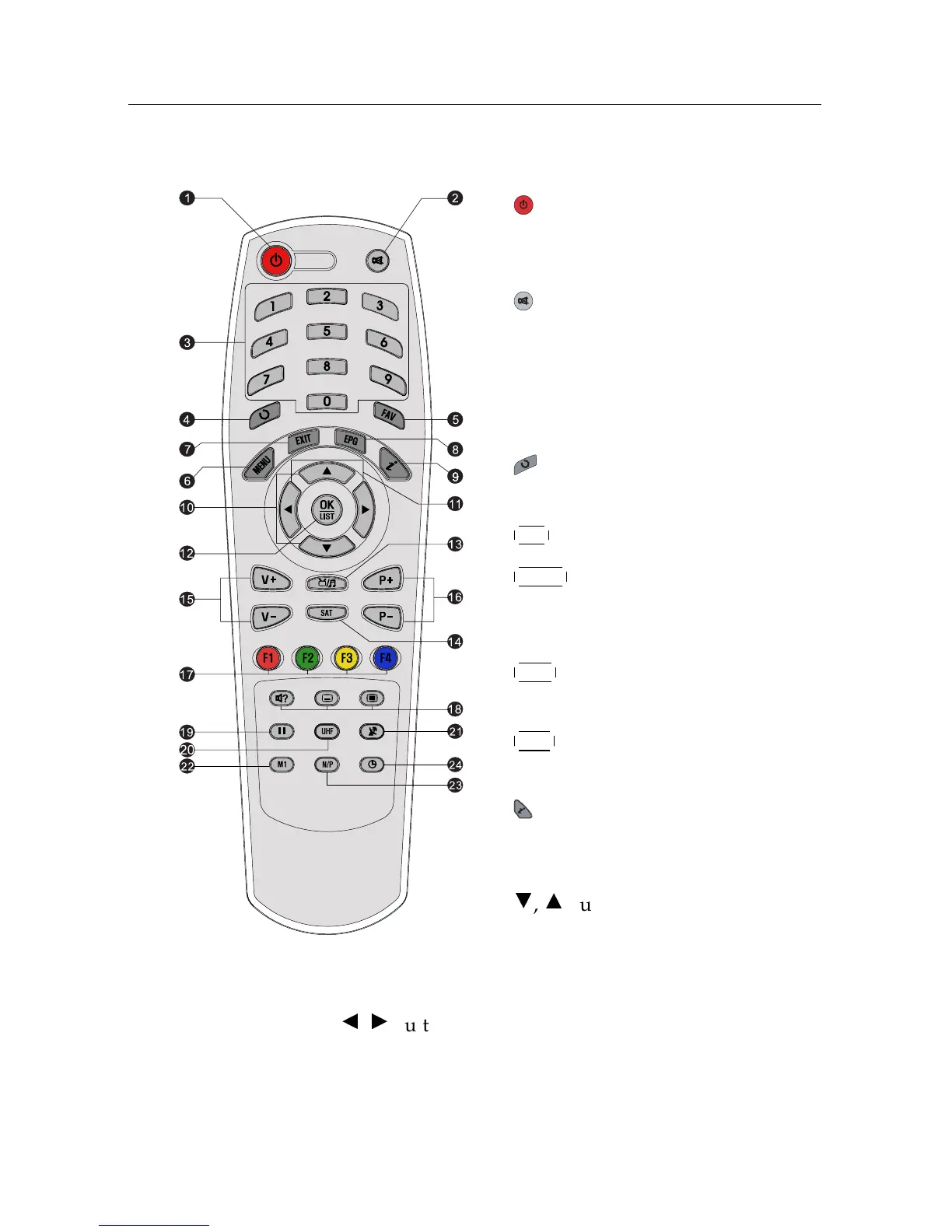
1.2.2 The remote control
1
button switches the digital re-
ceiver between standby mode and
operation mode.
2
mutes the sound. Press again to
switch it back on.
3
Numeric buttons are used to enter a
service number for service change or
to specify values for menu options.
4
switches between the current ser-
vice and the previously viewed one.
5
FAV displays the favourite lists.
6
MENU
displays the main menu. It is
also used to return to the previous
menu from a submenu.
7
EXIT
is used to exit the current
screen.
8
EPG
displays the electronic pro-
gramme guide.
9
displays the service information
box. It is also used to display more
information about a programme.
10
c
,
a
buttons switch to previous or
next service. They are also used to
navigate in menus and interactive
screens.
11
b
,
d
buttons decrease or increase the volume. They are
also used to change values for menu options.














 To Next Page