2.4 Connecting up your digital receiver 9
Table 2.3: Connectors specifications
VIDEO Composite video (CVBS) output
AUDIO Left & right audio output
TV CVBS/RGB/YUV video output
Left & right audio output
VCR CVBS video output
Left & right audio output
CVBS video input for bypass
Left & right audio input for bypass
S/PDIF Dolby digital audio output
RS-232 115.2 kbps at maximum
2.4 Connecting up your digital receiver
There are several ways to set up the digital receiver. Set up the
digital receiver suitably to your television and other appliances.
If you have any problem with your setup or need help, contact
your dealer.
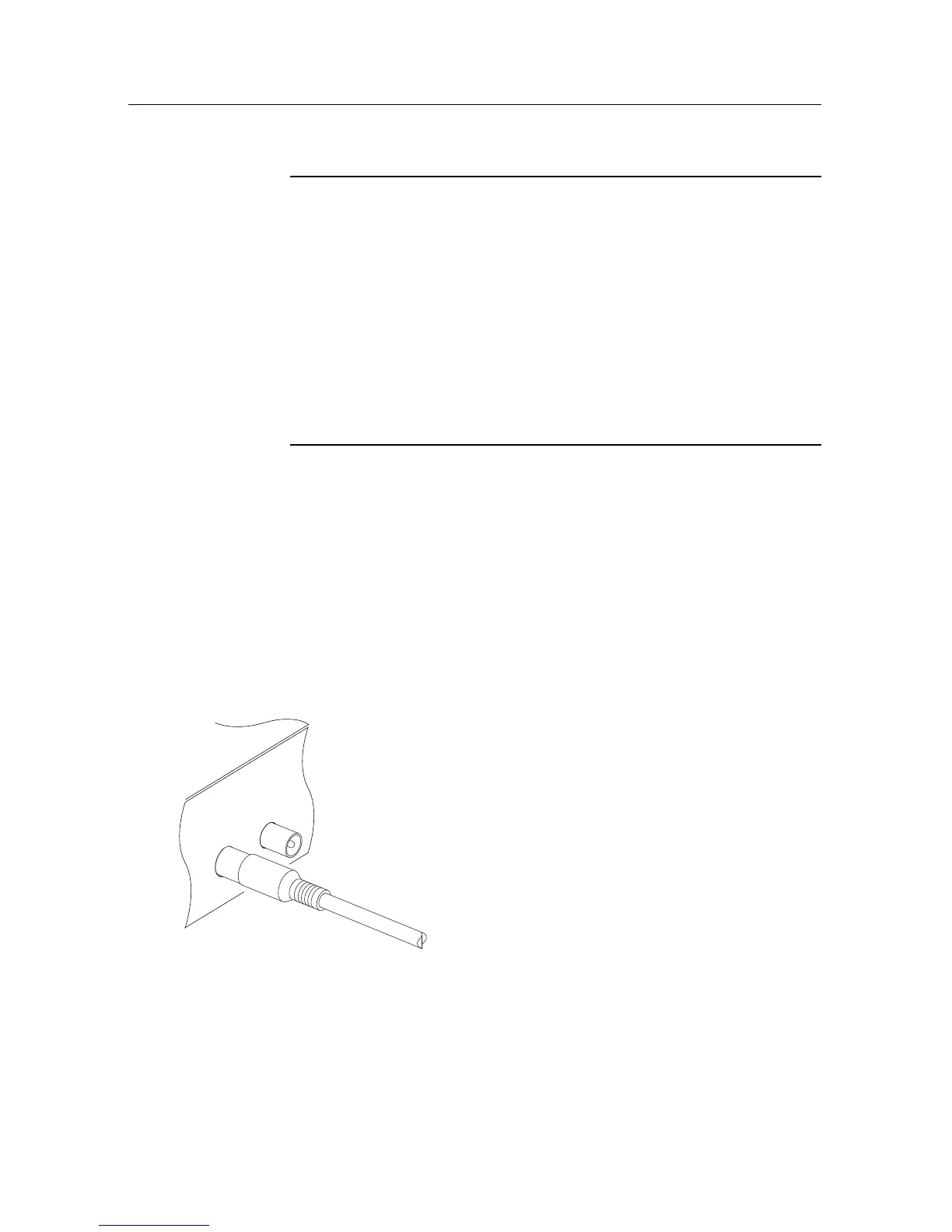
2.4.1 Connecting the antenna
Whatever sort of connection you have be-
tween the digital receiver and the television,
you need to connect the digital receiver to
your television antenna so that it can receive
digital television services.
Connect the antenna cable to the ANT con-
nector.
If you have another digital receiver, link it
from the RF LOOP OUT connector.
2.4.2 Connecting to your television
Between all the following connectors of the digital receiver, we
recommend you to use the first connector to get best picture
quality. If your television does not have the matching connector,














 To Next Page