16 Preference Settings
playback. But if the option is set to External A/V, the digital
receiver will not pass the video automatically. To pass it, you
have to press the button.
3.2.4 Television aspect ratio
If you have a wide-screen television, set the TV Aspect Ratio
option to 16:9.
Otherwise, if you have a normal-screen television, set the TV
Aspect Ratio option to 4:3.
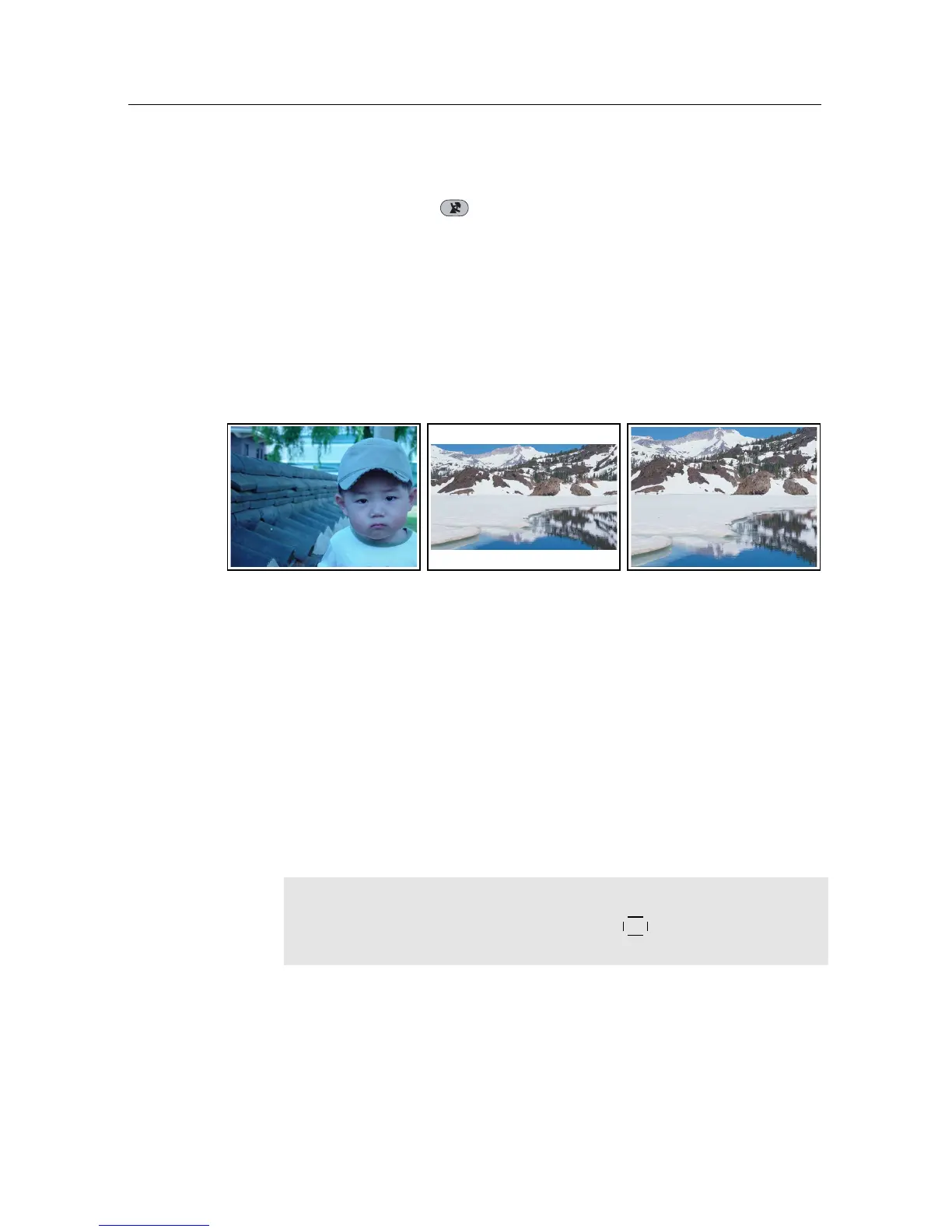
You cannot fully enjoy wide-screen programmes with your
normal-screen television as the above figures show. The left
figure shows a normal picture displayed in the normal screen.
To watch wide-screen programmes in the shape like the centre
figure, set the 16:9 Display Format option to Letter Box. Wide-
screen pictures then will be reduced to fit to the width of the
normal screen. Otherwise, to watch them in the shape like the
right figure, set it to Center extract. Wide-screen pictures then
will be cut out on the left and right sides equally to fit to the
width of the normal screen.
NOTE
When watching television, press the
0
button to alternate
between normal-screen and wide-screen formats.
3.2.5 Sound mode
Basically, there are two audio sources as you can find two audio
sockets on the back panel of the digital receiver. You can enjoy














 To Next Page