Shenzhen TOPFLYTECH Co., Limited. All Rights Reserved 8
6.1.2 Physical power off is recommended when the tracker is stored in the warehouse.
6.2 Motion operations
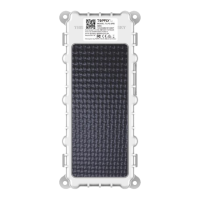
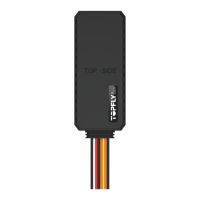
Device uses motion to detect different operations. Hold the tracker and keep the brand
label side towards the sky. Use normal speed to turn it over 180°(the brand label side
towards the ground) then recover. This can be called one-time standard turning. By
repeating the standard turning different times, the tracker will execute different operations:
6.2.1 Check the battery status
(1) It only works when physical power switch at on position
(2) Repeat the standard turning 3 times
6.2.2 Check the GNSS and network status
(1) It only works when physical power switch at on position
(2) Repeat the standard turning 4 times
6.2.3 Check the GNSS and network status
(1) It only works when physical power switch at on position
(2) Repeat the standard turning 4 times
6.2.4 Send SOS alarm
(1) It only works when physical power switch at on position.
(2) Customer has to enable the alarm first (alarm_set,0000,3,1,0,0,#)
(3) Repeat the standard turning 5 times
(4) If customer wants to disable the alarm, command is (alarm_set,0000,3,0,0,0,#)
6.2.5 Quick set/cancel the geofence
(1) It only works when physical power switch at on position.
(2) Customer has to enable the function by command gfence_en first
(3) gfence_en,0000,a,b# (a=0, disable; a=1, enable; b=1~65535, unit is meter)
(4) Set geofence: repeat the standard turning for 6 times then the GNSS light
will slowly flash at the beginning. Once the geofence is set successfully, the
GNSS light will stay on without flashing then goes out shortly
(5) Cancel geofence: after the geofence is set, repeat the standard turning for 6
times. The tracker GNSS light will fast flash at the beginning. Once the
geofence is cancelled successfully, the GNSS light will stay on without flashing
then goes out shortly.
6.2.6 Motion controlled power on or off
(1) It only works when physical power switch at on position.
(2) Motion controlled power off: Repeat the standard turning 7 times. The
tracker will power off. Customer can repeat other motion operation to verify.
(3) Repeat the standard turning 5 times
(4) Motion controlled power on: after power off, repeat the standard turning 7


 To Next Page