34
Ring Assignment
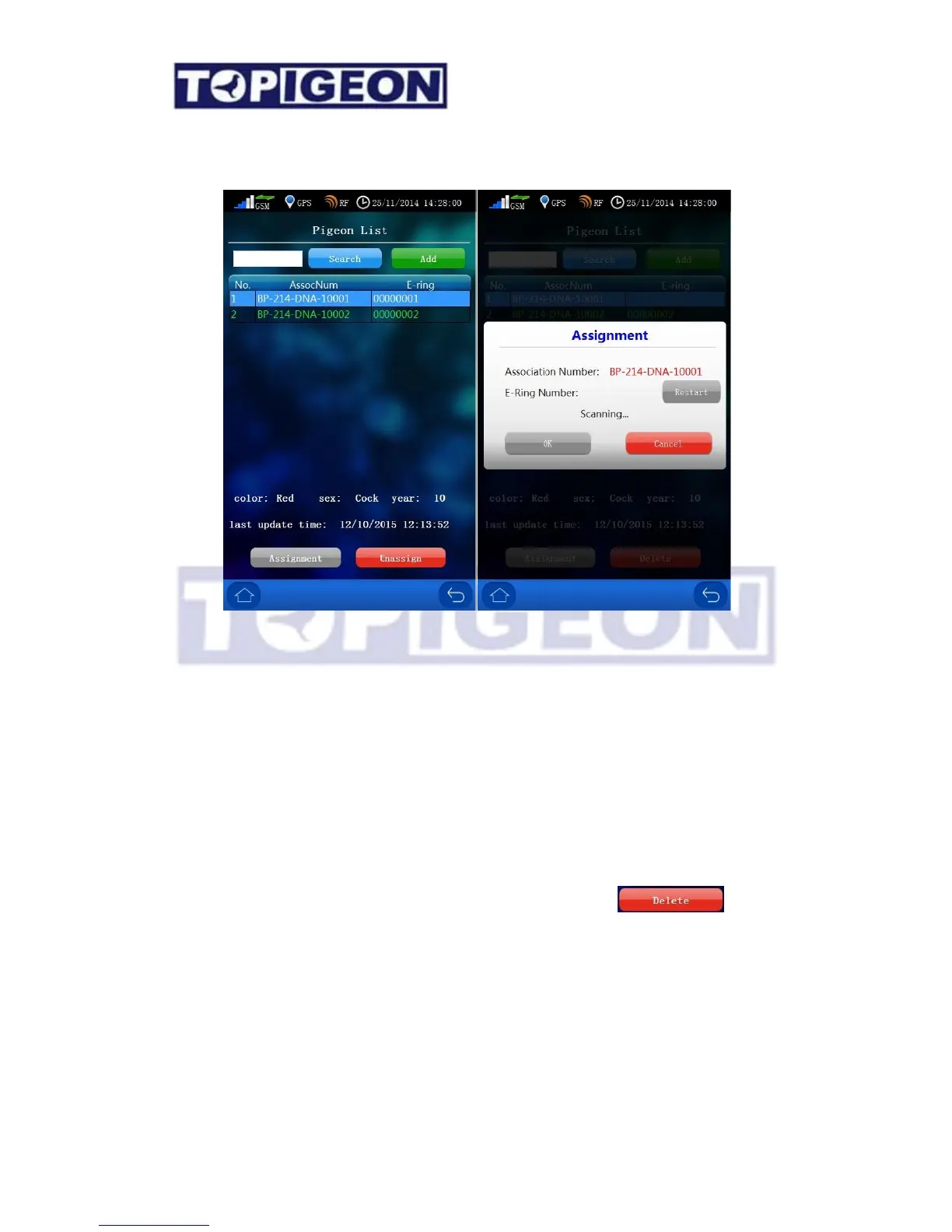
The Ring Assignment screen is similar to the Pigeon Manager where you can Add and
Search the specific bird that you want assigned. By selecting on the specific pigeon that
you want to assign the chip ring and the Assignment button will be activated. Press the
assignment button, a window will bring up “Scanning… “message. You can then swipe the
chip ring on the club antenna to assign the bird. If you assign to the wrong chip ring it can
Restart. Press OK to complete this ring assignment. You can also press Cancel to cancel
this assignment.
You can also Unassigned by pressing the “Unassign” button. After you Unassigned, you
can delete the unassigned bird. The unassigned button will turn to .
Race Marking
Before you operate this process, please make sure that you have created a specific RACE.
For race creation, please go to the “Race Manager” function, or you can create in the club
management software and synchronize to the clock.



 To Next Page