5
4
Operating Your Thermostat
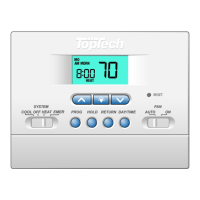
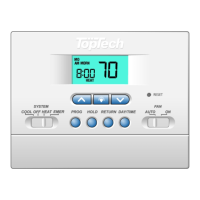
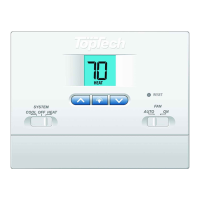
Setting the System Control Mode
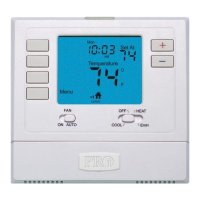
TheSystemControlhasseveralmodesofoperationthatcanbeselectedby
movingtheSYSTEMswitchtooneofthreepositions.
COOL Onlyyourcoolingsystemwilloperate
OFF Heatingandcoolingsystemsareoff.
HEAT Onlyyourheatingsystemwilloperate.
Additional Switch Position (Model TT-N-421 Only):
EMER Operatesabackupheatsource(EmergencyHeat)forheatpump
systemsonly.
NOTE:
If your model TT-N-421 was set to a
con-
ventional system (NORM) then you will not have the
EMER (emergency heat) option and “NO AUX SET”
will flash in the display if EMER is selected
with the
system switch.
Setting the Fan Control Mode
The Fan Control has 2 modes of operation – AUTO
and ON. The mode can be selected by moving the
FAN switch to the appropriate position.
AUTO Thesystemfanwillrunonlywhenyour
heatingorcoolingsystemisrunning.
ON Thesystemfanwillstayon.
Temperature Adjustment
Presstheorbuttontoadjustthecurrentsetpointtemperature.
Status Indicators
Statusindicatorsappearinthedisplaytoletyou
knowifyoursystemisheating,coolingoroff.
HEAT
Ifashing,indicatesyourheatingsystem
isrunning.
COOL
Ifashing, indicatesyourcoolingsystem
isrunning.
Additional Status Indicators (Model TT-N-421 Only):
AUX Indicatesthattheauxiliarystageofheatingisrunning
(Multi-StageSystemsonly),orthattheemergencyheat
systemisrunning(heatpumpsystemsonly).


 To Next Page
 Loading...