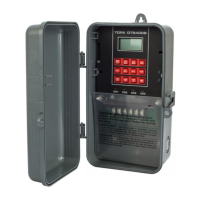
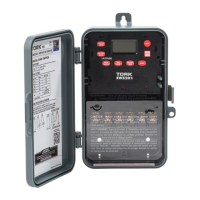
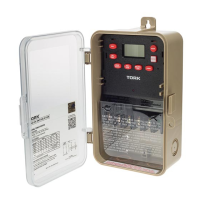
MODEL#: DIN100B
DIGITAL CONTROL
INPUT VOLTAGE:
120VAC 50/60Hz, 4VA
CONTACT CONFIGURATION:
SPDT (Dry Contact)
SWITCH RATING:
16A 120VAC Resistive, 8A 120VAC General Purpose, 1/2HP @120VAC
NUMBERS OF EVENTS:
8 ON/OFFs
IMPORTANT SAFETY INSTRUCTIONS
READ & FOLLOW ALL INSTRUCTIONS – SAVE THESE INSTRUCTIONS
ATTENTION: Read carefully before attempting to install this control. Failure to comply with instructions could result in personal injury and/or property damage!
This control must be installed in accordance with National and Local Electrical Codes. Disconnect power at main panel before installing or servicing this device.
Do not exceed the ratings of this device, and current capacity of conductors. This control should not operate any equipment which would cause bodily injury or
property damage should it be activate unexpectedly.
BATTERY INSTRUCTIONS
The lithium battery inside timers will be covered by a very thin insulation film which should be
removed while/after installation
PROGRAMMING THE TIMER
KEYPAD FUNCTIONS DESCRIPTION:
TIMER: To set/review/modify events.
MANUAL: Changes the load control to either ON, AUTO, or OFF.
CLOCK: To enable clock set and exit programming.
DAY: To set the day(s).
HOUR: To set hour.
MIN: To set minute.
RESET: Resets the timer and clears all memory.
SETTING THE CLOCK: Press and hold CLOCK button and then press
DAY, HOUR, and MIN buttons to set the current time and day-of-the-
week.
PROGRAMMING SCHEDULE:
NOTE: Please press the RESET button prior to installation and initial
programming.
1: Press TIMER button: This is the first ON event.
The LCD should show:
2: Press DAY button to select the desired day-of-the-week setting.
Each press advances the selection for each of the possible 15 daily
combinations.
3: Press HOUR and MIN
buttons respectively to set
the event time.
4: Press the TIMER button to
store this event, and advance
to the next event, the first OFF
event. The LCD should show:
5: The unit will alternate ON and OFF events every time you press the
TIMER button. Repeat steps 2-4 for each required event. After you’ve
finished programming the timer, press CLOCK button to exit program-
ming mode.
TO REVIEW/MODIFY PROGRAMS:
Press TIMER button. Each time you press the TIMER button you ad-
vance between alternate ON and OFF events, numbered 1 to 8 and
then back to 1. Modify events as needed by using DAY, MIN, and
HOUR buttons as before. Press TIMER button to store the changes and
advance to the next event.
OVERRIDE:
In the AUTO mode, you can turn the load either ON or OFF by press-
ing MANUAL button. Using the same button you can return back to
the AUTO mode to resume schedules.
LOAD STATUS INDICATORS:
There is an LED, marked “Power” to indicate current load status.
RANDOM SCHEDULES OVERRIDE:
To execute a random schedule (ON and OFF time varies in a random
pattern every 10 to 120 minutes) press and hold DAY button then
press MIN button. While in the Random mode, the LCD will display the
following symbol:
To return to normal schedules, press and hold DAY button, then press
MIN button.
LI-797(C) 888.500.4598 • www.nsiindustries.com
®
OFF --:-- _
ON --:-- __
NSi Industries, LLC • 888.500.4598 • www.nsiindustries.com
1 MO TU WE TH FR SA SU
2 MO
3 TU
4 WE
5 TH
6 FR
7 SA
8 SU
9 MO TU WE TH FR
10 SA SU
11 MO TU WE TH FR SA
12 MO TU WE
13 TH FR SA SU
14 MO WE FR
15 TU TH SA
TEMPORIZADOR DIGITAL DE 7 DÍAS
E315214

 Need help?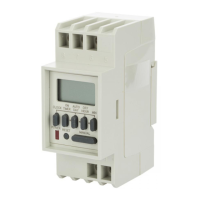

 To Next Page
 General