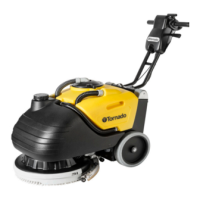
BD 700 BAT / BR 700 BAT
18
English
IV. TROUBLE-SHOOTING
All testing and other work on the electrical components of this unit should be carried out by a qualified
electrician. If a fault can not be readily identified and repaired, please contact KÄRCHER Customer
Service.
Problem Possible causes Remedy
Unit will not start-up
Key removed from switch (13) Insert starting key
Parking brake (18) applied Release brake
Flat batteries Charge batteries
Loose battery plug or connection Check, and reconnect
Defective drive assembly Call Customer Service
No, or insufficient, detergent
solution is applied to floor
Empty fresh-water bag Fill bag
Defective pump (31) Call Customer Service
Blockage in water supply Check for blockage in hoses and
quick-fitting coupling
Not enough suction is
developed; i.e., dirt and/or liquid
is not properly drawn off the
floor surface
Dirty or damaged seal on cover
(30)
Clean or replace
Blocked lint filter (35) Clean
Dirty or worn squeegee on suction
bar (5)
Clean or replace
Blocked suction hose (36) Clean
Defective suction turbine (34) Call Customer Service
Insufficient cleaning results
Brush contact pressure set too low Increase contact pressure with
adjusting screw (33)
Worn brushes (29) Replace
Wrong brushes (29) for task Fit different brushes – see chapter
“Accessories”
Brushes (29) are blocked,
Control lamp (21) is illuminated
Obstruction stuck in brushes Detach battery plug, and remove
obstruction. Reconnect plug, and
turn key switch (13) to “0” then
back to “I”.
Too much friction Reduce friction with rotary knob
(33)
Brushes (29) not rotating
Overload protection switch has
activated
Check, turn key switch (13) to “0”
then back to “I”.
Broken toothed belt (BR 700 BAT) Call Customer Service
Defective brush motor Call Customer Service
Defective worm gear (BD 700 BAT) Call Customer Service



 To Next Page