209
The T-1 Notebook : Reference & Guide
208
The T-1 Notebook : Reference & Guide
NOTESNOTES
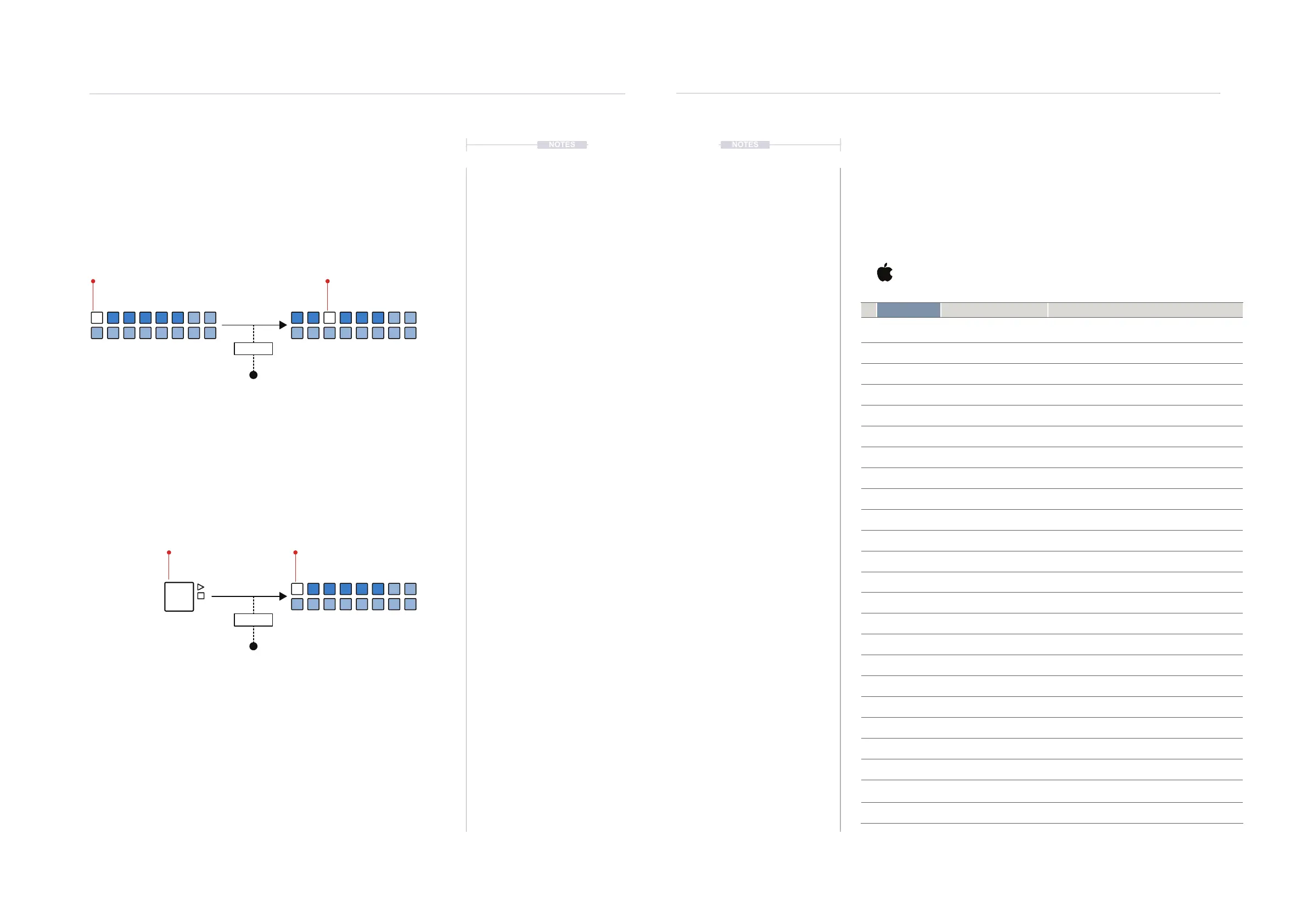
10.4 Pattern Choke Options
The behaviour on how the MIDI messages controlling audio is managed on
pattern changes or when stop command is issued can be changed within
the conguration settings.
Choke on Pattern Change
Choke on Stop
MIDI Output
NOTE OFF Message
ON / OFF
ON / OFF
MIDI Output
NOTE OFF Message
A MIDI Note off message is sent immediately when a pattern changes to choke
the audio playing. This will be off in the default settings. Note that the behaviour
of the connected device will also determine how audio is played.
A MIDI Note off message is sent immediately when a pattern is stopped to choke
the audio playing. This will be off in the default settings. Note that the behaviour
of the connected device will also determine how audio is played.
WHITE ⬛
Selected Pattern
WHITE ⬛
Selected Pattern
WHITE ⬛
Selected Pattern
System Conguration
10
System Conguration
10
10.5 T-1 Cong Menu
The T-1 Cong tool has a number of pages which carry conguration
settings that can be edited. In addition T-1 Cong has a number of utilities
and tools than are available in the header menu. Illustrations based on the
Mac OS version.
T-1 Cong File Edit Tools View Help
Menu Sub-Menu Description
1 T-1 Cong About T-1 Cong Displays T-1 Cong software version. Also link to
request support email.
2 T-1 Cong Services OS services options
3 T-1 Cong Hide T-1 Cong Hides the T-1 Cong windows from display.
4 T-1 Cong Noties of Status Hides all but the T-1 Cong window from display.
5 T-1 Cong Show All Restores all hidden windows to be displayed
6 T1- Cong Quit T-1 Cong Close the T-1 Cong app.
7 File Create Backup Allows a T-1 Backup of settings on a PC/Mac.
8 File Restore From Backup Allows a T-1 Restore of settings from a PC/Mac
9 File Quit T-1 Cong Close the T-1 Cong app.
10 Edit Undo Standard OS Undo function
11 Edit Redo Standard OS Redo function
12 Edit Cut Standard OS Cut function
13 Edit Copy Standard OS Copy function
14 Edit Paste Standard OS Paste function
15 Edit Paste and Match Style Standard OS Paste & Match function
16 Edit Delete Standard OS Delete function
17 Edit Select All Standard OS Select All function
18 Edit Speech Standard OS Speech function
19 Edit Start Dictation Standard OS Dictation function
20 Edit Emoji & Symbols Standard OS Emoji / Symbol function
21 Tools Download Firmware Allows selection of a legacy rmware to install
22 Tools Upload Firmware Allows installation of alternate rmware e.g. Beta
23 Tools Erase Banks and Settings Erases banks and settings from the T-1.
Consider this like a factory reset.
24 Tools Get Crash report Allows a crash report to be extracted and saved
T1 Cong - Menu
STOP ⬛
Stop Pattern



 To Next Page