217
The T-1 Notebook : Reference & Guide
216
The T-1 Notebook : Reference & Guide
NOTESNOTES
System Conguration
10
System Conguration
10
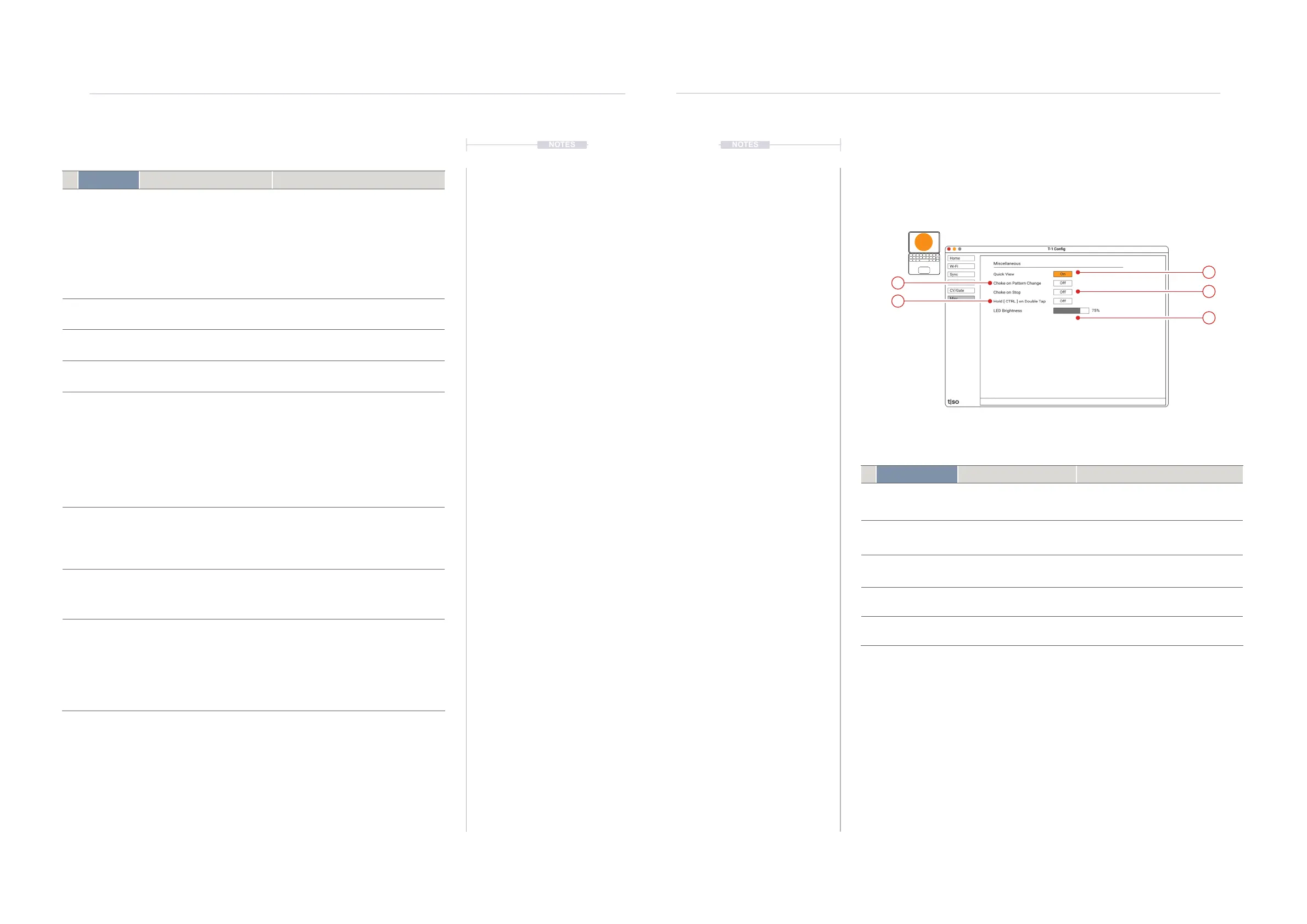
Setting Function Description
1 Quick View
Visualise value buttons
Temporarily display the illuminated value
button status when turning the
parameter knob when set to ‘ON’
2 Choke
on Pattern Change
NOTE OFF message
Sends a MIDI Note Off message
immediately when a pattern is changed
3 Choke
on Stop
NOTE OFF message
Sends a MIDI Note Off message
immediately when a pattern is stopped
4 CTRL Option Double tap to lock Selects the option, when on, to double
tap [CTRL] to lock selection.
5 LED Brightness Brightness Setting Adjust the LED brightness of the user
interface buttons.
1
5
3
4
2
T1 Cong - Misc Page
Contains general information not covered in any specic section.
t|so
Setting Function Description
1 Presets 4 dened preset congurations 2-Voices: Gate, Velocity and Pitch output
on Channels 1 & 2.
3-Voices: Gate and Pitch output on
Channels 1, 2 & 3.
Drum gates: Drum gates on channels 1-6
User: User dened and saved
conguration
2 Gates Gate Outputs a and b Congures the routing and format for gate
outputs a and b.
3 CV Control Voltage Outputs a,b,c,d Congures the routing and format for CV
outputs a, b, c and d.
4 Routing MIDI Channel routed to Gate/CV Selects the routing from the track MIDI
channel to the Gate or CV output
5 Function Application of the output Gate: Congures output as a gated pulse.
CV Outputs can also be congured as
gates. Gates cannot be set for CV.
Pitch: Congures a control voltage output
for pitch control with scaling and trig
conguration options available.
Velocity: Congures a control voltage
output for velocity control.
6 Scaling Format for Pitch Scaling V/Oct or Hz/Volt. This will depend on the
connected device format and compatibility.
Eurorack and Moog typically uses V/Oct.
Hz/V typically used with Korg and
Yamaha.
7 Trig Format for Trig Voltage Sets the trigger polarity type. V-Trig has a
+5V to trigger note on where S-Trig
activates at 0V and note off at +5V. Select
based on destination device.
8 Voice Stealing Voice Management Behaviour Selects option for behaviour of how voices
are managed:-
Top - Higher notes steal the voice.
Bottom - Lower notes steal the voice.
Re-trig - New note always steals the voice.



 To Next Page