89
The T-1 Notebook : Reference & Guide
88
The T-1 Notebook : Reference & Guide
NOTESNOTES
4.6 Note Timing Overview
The rhythmic timing of notes in a track can be adjusted. This will introduce
a swing-like element and humanise the track groove. The two options
available for timing are (TIMING) and (DELAY).
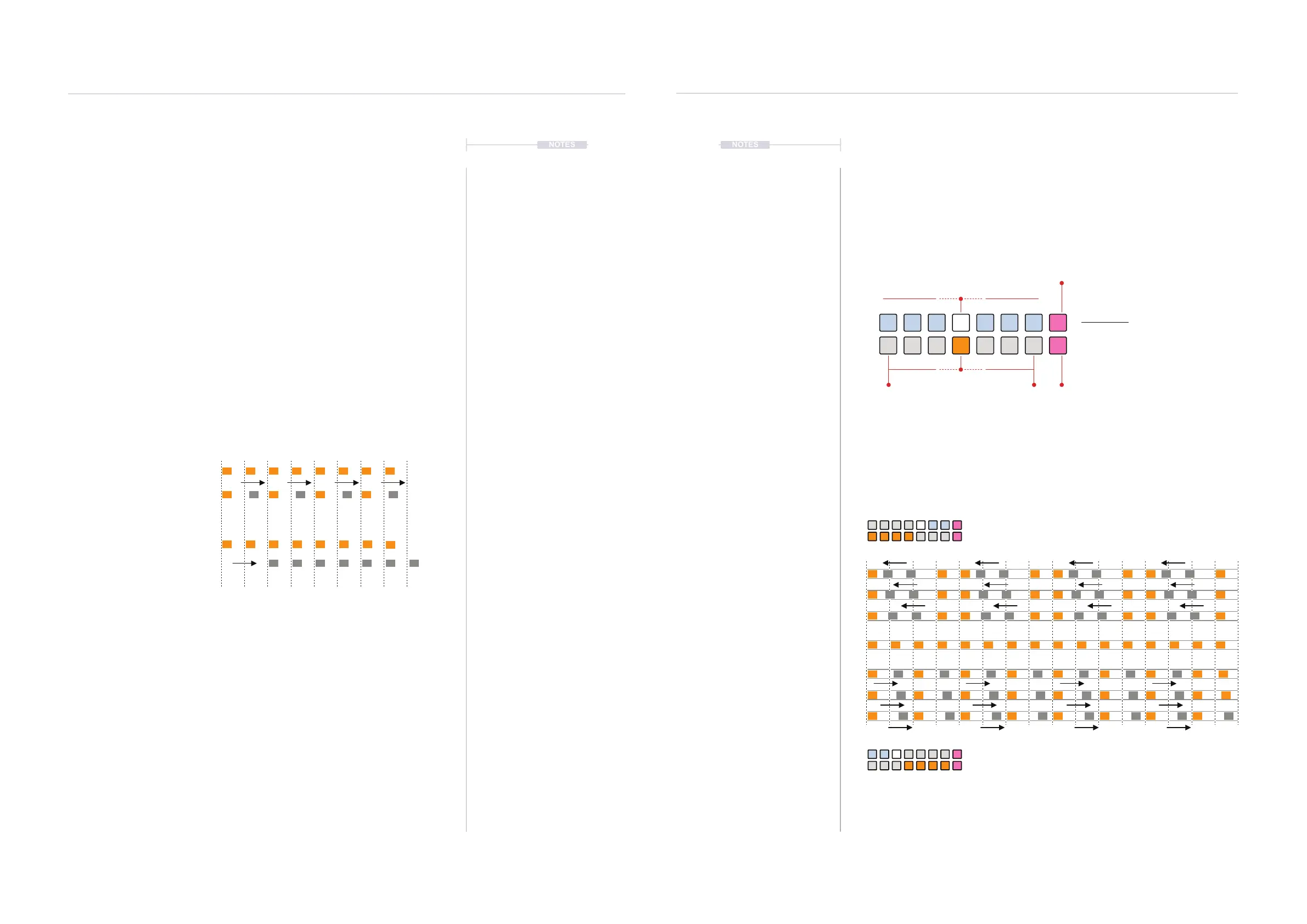
Timing
Timing is a micro-timing function that moves some notes off the grid earlier
or later in the track to generate a less rigid, shufe feel to the rhythm. Not
all notes are affected and the note selected behaviour can be adjusted. The
timing parameter controls the amount of note shift on the grid.
Delay
Delay is applied to the entire track. Delay can be applied positively or
negatively to affect the track in note value unit divisions.
Timing Example
Track division with 2
nd
subdivision note shifts.
Delay Example
Delay applied to the entire track.
4.7 Micro-Timing
Timing shifts specic notes early or late by stretching the grid. Other notes
are unaffected. The amount of micro-timing can be adjusted using
(TIMING) while the behaviour of the notes adjusted is set by the PINK ⬛
division buttons [VB8] or [VB16].
Timing View Mode.
Illustration shows default ‘On-Grid’ timing i.e. no micro-timing adjustment.
Example: Extreme timing settings, on x1 division.
Timing View
Hold (TIMING) or Double tap (TIMING) to
lock the view.
ORANGE ⬛
Timing - Coarse
PINK ⬛
x4 Division
- Early + Late
WHITE ⬛
Timing - Fine
PINK ⬛
x2 Division
On
Grid
1 5 9 13
Max Timing
Min Timing
MIN
Rhythmic Variation
4
Rhythmic Variation
4



 To Next Page