103
The T-1 Notebook : Reference & Guide
102
The T-1 Notebook : Reference & Guide
NOTESNOTES
The parameter selects the amount of slope applied as the incline for each
of the up or down velocity ramps. The starting point is the base velocity
whether the ramp drives up or down.
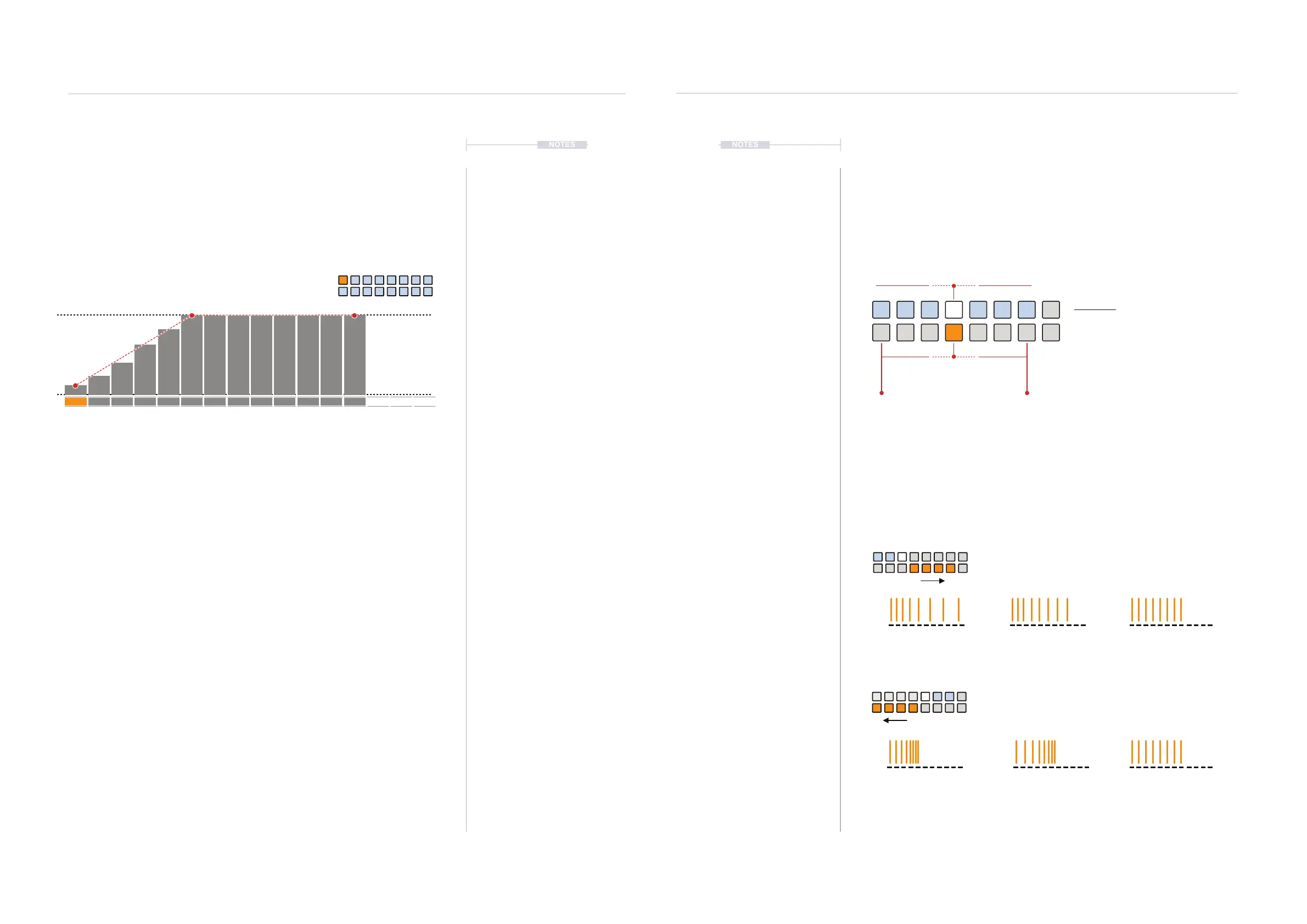
In this example a base velocity of 29 is set and a ramp up with a steep
incline. Any repeats that continue after the ramp cycle completes will
maintain the maximum or minimum level until the next pulse is triggered.
▌ CREATING VELOCITY OFFSET RAMPS
1. Select the pattern and track.
2. To view the current offset setting, Hold [CTRL] + Press (OFFSET).
3. To change the offset;
• While viewing offset page, Press [VB9] - [VB11] to adjust ramp
down of repeats. Press [VB12] - [VB15] to adjust ramp up of
repeats. The precise number selected with [VB1] - [VB7].
• Press [CTRL] + Turn (OFFSET) to iteratively change the offset on
each rotary ‘click’. Clockwise for ramp up and counter-clockwise to
ramp down.
• Press [CTRL] + Hold & Turn (OFFSET) to select the offset iteratively
on each rotary ‘click’. Clockwise for ramp up and counter-clockwise
to ramp down. Slowest method but most visual.
1 Pulse - 12 Repeats (1/16
th
Division & 1/16
th
Time)
Example: Ramp Up - Repeat Velocity Offset
Velocity prole
1
127
64
1 5 9 13
29
49
69
89
109
127
127
127
127
127
127
127
127
4.15 Note Repeat Pace
While offset operates on velocity, pace focusses on the timing of repeats.
Pace is a bi-polar control and adjusts the timing interval of the acceleration
or deceleration of the repeated notes.
The parameter adjusts the acceleration pace of repeat notes or
deceleration pace of repeat notes based on the bi-polar settings. Default
position for pace will apply no changes where repeats stay linear.
No Pace
Zero Deceleration
No Pace
Zero Acceleration
Deceleration Max
Speed Up
Acceleration Max
Speed Up
The repeats start quickly, short time divisions and expand to
slower, wider time divisions over the duration.
The repeats start slowly, longer time divisions and contract to
faster, shorter time divisions over the duration.
Pace View Mode.
Pace View
Hold [CTRL] + (PACE).
ORANGE ⬛
Coarse
Acceleration Deceleration
WHITE ⬛
Fine Tune & Select Pace
Off
Rhythmic Variation
4
Rhythmic Variation
4



 To Next Page