125
The T-1 Notebook : Reference & Guide
124
The T-1 Notebook : Reference & Guide
NOTESNOTES
Style Options
Style is the model which creates inversions of the pitch menu chord. 3 Style
options are available, each of which is available for polyphonic notes or
monophonic note changes. Illustrations are examples only and show 3
pulses of the original chord in ORANGE ⬛ and inversions GREY ⬛.
Polyphonic
Polyphonic
Polyphonic
Monophonic
Monophonic
Monophonic
Fixed
Ramp
Climb
Value Button [VB1]
Value Button [VB2]
Value Button [VB3]
Creates static inversions, moving the chord notes up, voicing clockwise / value
buttons right or down when turning counter-clockwise / value buttons left.
Adds notes up/down similar to classic arpeggiators. Notes up, turn voicing clockwise /
value buttons right or down with voicing counter-clockwise / value buttons left.
Creates inversions by statically moving the full chord notes up, voicing clockwise /
value buttons right or down when turning counter-clockwise / value buttons left.
- Voicing Down
- Voicing Down
- Voicing Down
- Voicing Down
- Voicing Down
- Voicing Down
+ Voicing Up
+ Voicing Up
+ Voicing Up
+ Voicing Up
+ Voicing Up
+ Voicing Up
Value Button [VB9]
Value Button [VB10]
Value Button [VB11]
C
C
C
6.3 Style.
Style creates inversions of the pitch chord based on the pitch menu setting.
This is based on 3 template styles each which operates polyphonically or
monophonically. Polyphonic mode will play multiple notes together while
monophonic plays only one note at a time on each pulse trigger.
Monophonic options apply arpeggio style note movement. The style
parameter enables the selection of one of the 6 available options.
▌ APPLYING A STYLE
1. Select the pattern and track.
2. Ensure notes / chords are set in the (PITCH) menu.
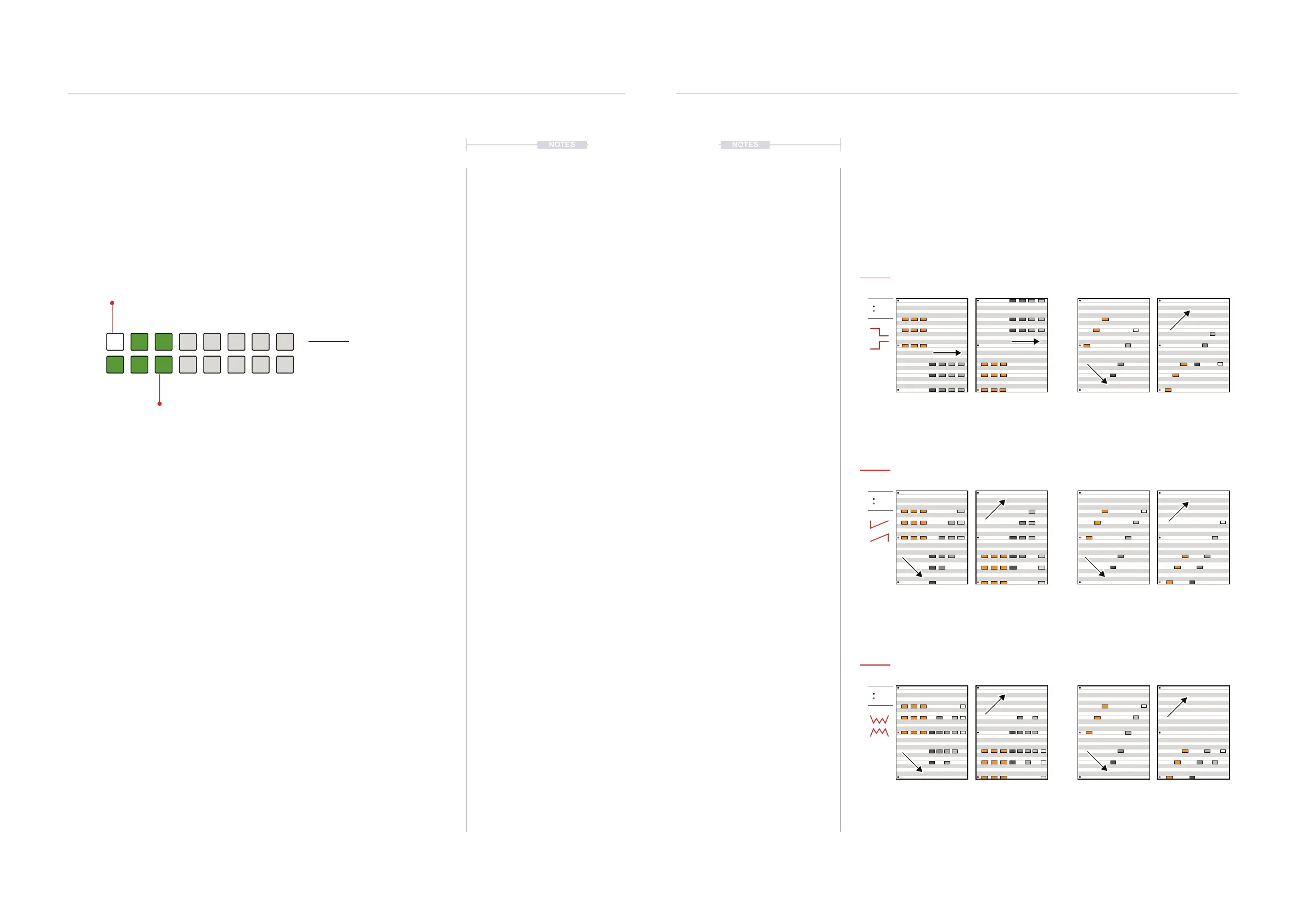
3. To view the current style setting, Hold [CTRL] + Press (STYLE). Default
is Polyphonic Fixed indicated by the WHITE ⬛ [VB1] value button.
Other options are shown lit DARK GREEN ⬛.
4. To select the style template;
• While displaying the style page, Press [VB1] - [VB3] to select a
preset polyphonic style template or [VB9] - [VB11] for the
monophonic options. Quick and most visual method.
• Hold [CTRL] + Turn (STYLE). This changes the template on each
rotary ‘click’ across the 6 options.
• Hold [CTRL] + Press & Turn (STYLE). This changes the template on
each rotary ‘click’. Fast method also visualises the settings.
5. The amount of variation and the direction of notes is set in the Voicing
parameter options.
Style View Mode.
Style View
Hold [CTRL] + (STYLE).
DARK GREEN ⬛
Style Options
WHITE ⬛
Selected Style
Poly
Fixed
Poly
Ramp
Mono
Ramp
Mono
Fixed
Poly
Climb
Mono
Climb
Progressions
6
Progressions
6



 To Next Page