129
The T-1 Notebook : Reference & Guide
128
The T-1 Notebook : Reference & Guide
NOTESNOTES
6.5 Range & Phrase Overview.
Range and Phrase are another parameter pair that work closely together to
create melodic phrases with the source of notes coming from the pattern
and the track pitch note menu placements. A Phrase is a predened shape
for generating melodic passages. Range expands the amount of pitch
variation within the current scale for the selected Range and also controls
the phrase rate. Essentially, a Phrase will act as a melody generator and
the note range is controlled by the Range parameter.
The behaviour of how these notes are played out is governed by which of
the 8 Phrase options is active and how much range and rate is applied. In
reality there is a 9
th
Phrase option which uses and external CV input - CV
Mod to generate the melodic phrase. This is covered elsewhere.
(1) All T-1 Parameters have a symbiotic relationship, meaning what is set on
one can affect another and vice versa. For example the melodic output when
setting a phrase and range will also be affected by the style and voicing. Bear
in mind that changing one of multiple parameters will ultimately affect the
output pattern.
(1)
6.6 Phrase
Think of the Phrase function as a melodic engine, a tool that generates
phrases ideal for chord progressions and tonal patterns based on the pitch
menu notes, scale and the range and rate controlled by Range. Phrase
actually utilises one of the 8 selectable shape templates. This then
determines the melodic passage.
▌ APPLYING A PHRASE
1. Select the pattern and track.
2. Ensure notes / chords are set in the (PITCH) menu.
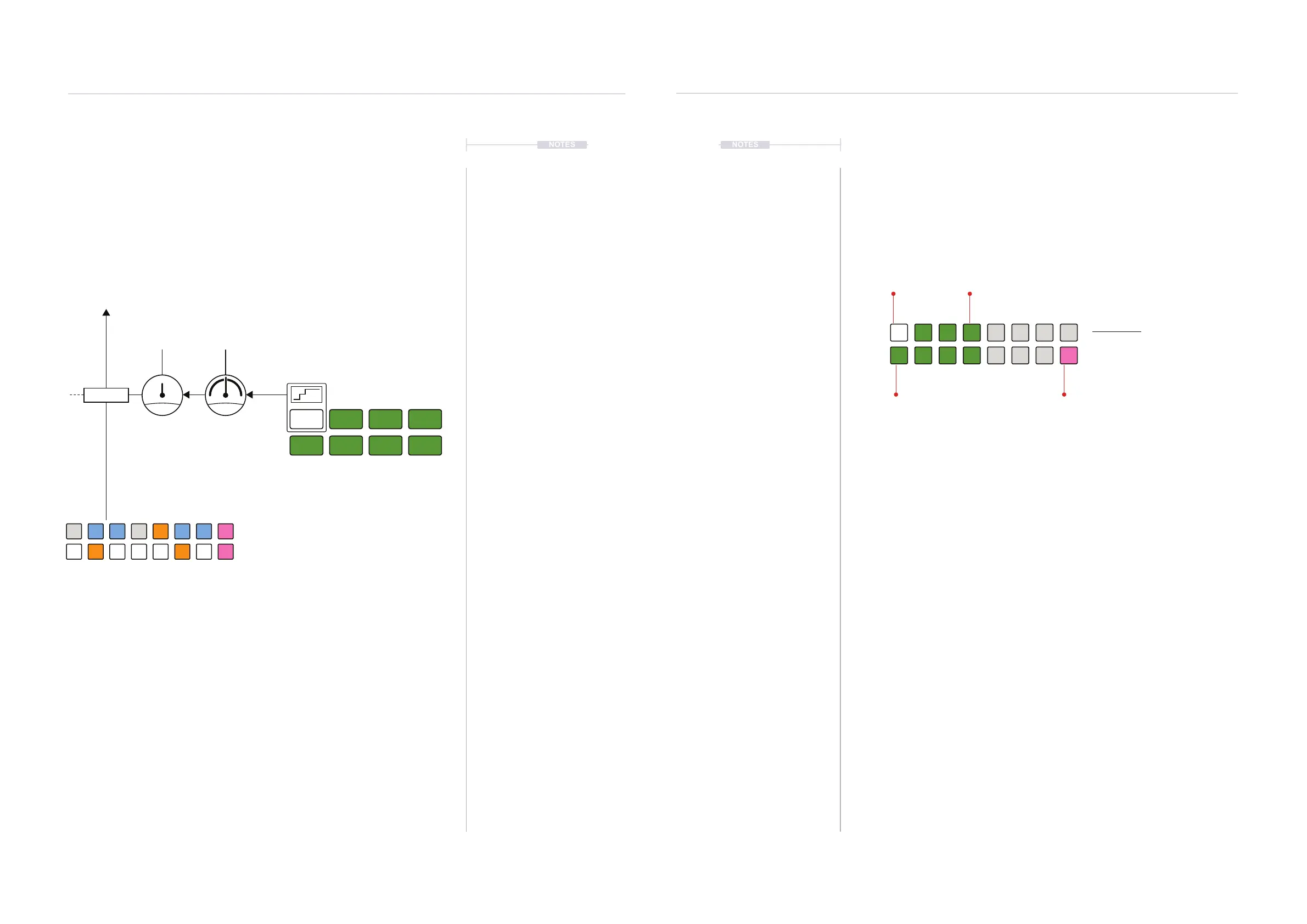
3. To view the current phrase setting, Hold [CTRL] + Press (PHRASE).
Default is Cadence 1 indicated by the WHITE ⬛ [VB1] value button.
Other options are shown lit DARK GREEN ⬛.
4. To select the phrase template;
• While displaying the phrase page, Press [VB1] - [VB4] to select a
preset cadence template or [VB9] - [VB12] for the LFO shape
options. Quick and most visual method.
• Hold [CTRL] + Turn (PHRASE). This changes the template on each
rotary ‘click’ across the 8 options.
• Hold [CTRL] + Press & Turn (PHRASE). This changes the template
on each rotary ‘click’. Fast method also visualises the settings.
5. The amount of note range and the modulation rate is set in the Range
parameter options.
Phrase View Mode.
Phrase View
Hold [CTRL] + (PHRASE).
DARK GREEN ⬛
Phrase LFO’s
DARK GREEN ⬛
Phrase Cadences
PINK ⬛
CV Input
WHITE ⬛
Selected Phrase
Cad 1 Cad 2
TriSaw
Cad 3 Cad 4
Sine Pulse CV
D#
E AD GC
G#
C#
F#
F B
A#
Cadence
1
Saw
Cadence
2
Triangle
Cadence
3
Cadence
4
Sine Pulse
Phrase
8 Phrase Templates
Pitch Range
Range
Rate
Output
Transform
x2
=
/2
Pitch
Pitch Note Menu Settings
Progressions
6
Progressions
6



 To Next Page