133
The T-1 Notebook : Reference & Guide
132
The T-1 Notebook : Reference & Guide
NOTESNOTES
Progressions
6
Progressions
6
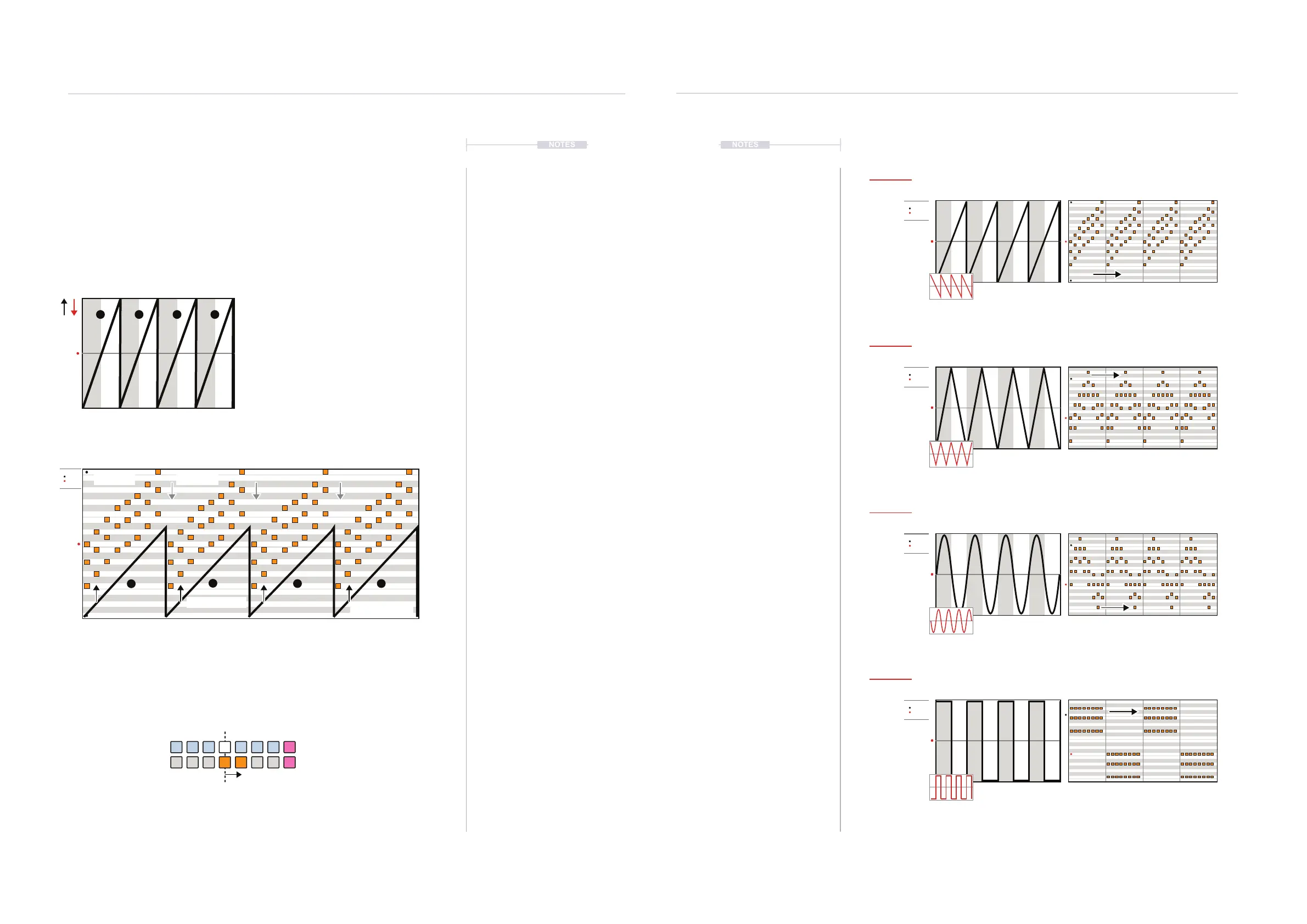
LFO Overview
The second set of 4 phrase options are available on the bottom row of the
DARK GREEN ⬛ value buttons. These represent LFO’s. An LFO is a Low
Frequency Oscillator which cycles modulation of notes repetitively.
LFO
LFO
LFO
LFO
Saw
Sine
Triangle
Pulse
Value Button [VB9]
Value Button [VB11]
Value Button [VB10]
Value Button [VB12]
C
C
C
C
C
LFO
Value Button [VB9] - [VB12]
Range
Chord progression example
RangeC Major
The cadence direction and range is set by the
Range parameter. This is a bi-polar setting and
can control the direction of the cadence even
though the general shape is maintained. The
shape is determined by the Phrase option. The
notes as selected in the (PITCH) menu will play
as chords or arpeggio style notes based on the
(STYLE) setting. The examples here assume
chords set polyphonically for the style.
In this example, Cadence 1 controls the chord changes 1,2 & 3 in line with the
cadence shape. This is illustrated at the normal x1 rate across the 4 bars.
The amount that the chords are transformed and offset from the original position is
based on the Range. In this and following examples the range is set to one orange
step right - range up.
Phrase Shape
Style Poly Fixed
1
2
3 4
1
2
3 4
Bi-polar, Inversion
Bi-polar, Inversion
Bi-polar, Inversion
Bi-polar, Inversion



 To Next Page