135
The T-1 Notebook : Reference & Guide
134
The T-1 Notebook : Reference & Guide
NOTESNOTES
Division operates as a macro that also affects Rate and Time.
Progressions
6
Progressions
6
6.7 Range
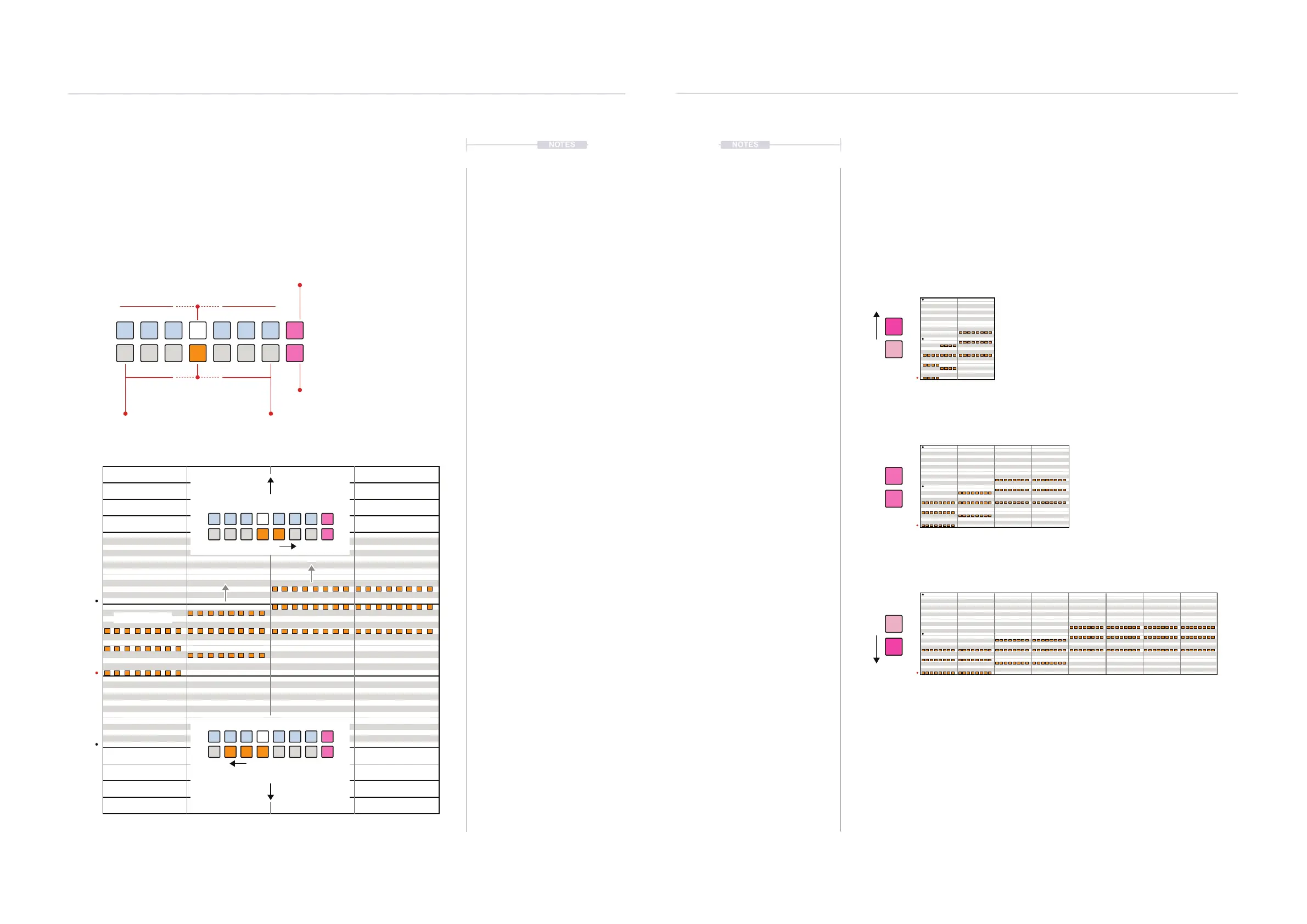
Range controls the amount of note variation when generating a phrase.
This sets how wide the octave range for the spread of notes and chords.
The range is a bi-polar setting. In addition, the phrase rate can be set to
one of 3 values to speed up or slow down the phrase generated.
Range View Mode.
Range View
Hold (RANGE). Double tap (RANGE)
to lock the view.
Default Normal Rate x1
Both buttons PINK ⬛
Press [VB8] - Increased Rate x2
1
1
1
53
3
72
2
2
64
4
8
Press [VB16] - Lower Rate /2
ORANGE ⬛
Coarse Values
Decrease Increase
WHITE ⬛
Fine Tune & Select
PINK ⬛
Rate x2
PINK ⬛
Rate x1
Phrase Rate
The speed of the phrase playback can be changed within the (RANGE)
menu using the upper [VB8] button which doubles the speed while the
lower [VB16] button halves the speed. Normal, x1 default playback is reset
with both buttons illuminated PINK ⬛ value buttons.
C 3
C 4
C 2
C 1
C 8
C 0
C 7
C-1
C 6
C-2
C 5
C Major
Range
Range



 To Next Page