143
The T-1 Notebook : Reference & Guide
142
The T-1 Notebook : Reference & Guide
NOTESNOTES
7.1 Cycles Overview
The Cycles control is found in the shape section of T-1. When playing the
sequence the selected number of cycles will play in sequence. The default
is 4 active cycles. Each cycle iteration is aligned to the pattern cycle length
and. Each cycle, unless edited, will be identical to each other at the outset.
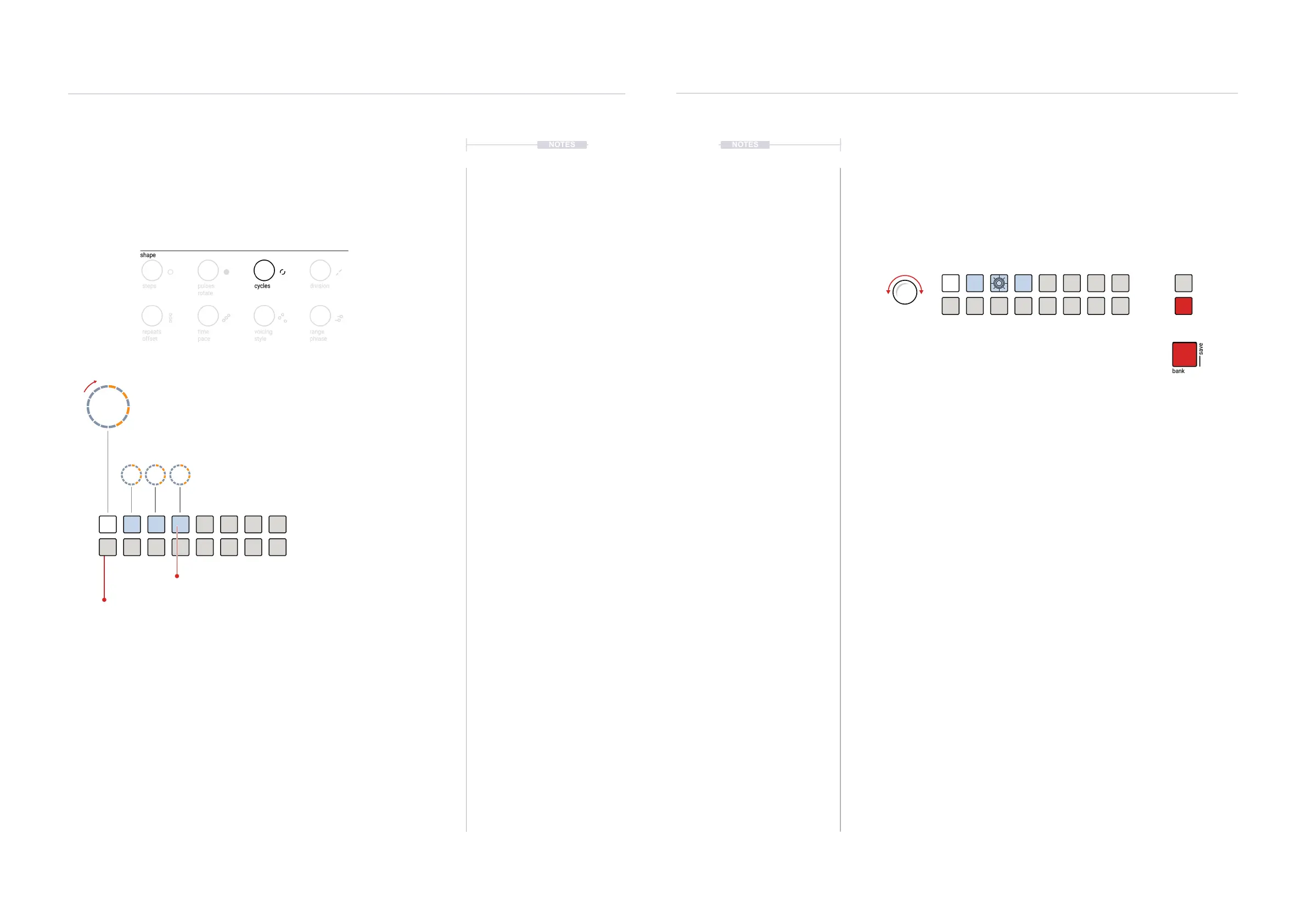
▌ VISUALISING CYCLES
1. Select the pattern and track.
2. To view the cycle page, Hold (CYCLES).
3. To lock the cycles page view, double tap (CYCLES).
4. Double tap a cycle [VBx] to switch directly to the pulse sequencer view.
Cycle View
Hold or Double Tap (CYCLES) to
lock the cycle view buttons.
The track will play each cycle in turn then restart and
loop playback. Parameters can be adjusted as a
deviation from the original settings within each cycle.
This creates alternate versions which play in sequence
building interesting and progressive arrangements.
Cycles Edit Mode
Signied by the [BANK] button illuminated in RED ⬛
and the selected cycle value button to edit will ash.
cycles
WHITE ⬛
Current Cycle
BLUE GREY ⬛
Available, Active Cycles
OFF
Available, Inactive Cycles
Cycles & Random
7
Cycles & Random
7
7.2 Editing Cycles
Cycles can be selected for editing. In fact the parameter values within the
cycle are the elements that are edited. These parameters are then ‘locked’
into the cycle being edited. Each time the cycle plays, the dened
parameter values will be applied. Any deviations from the original
parameters are what creates unique musical passages and sections.
▌ EDITING CYCLES IN EDIT MODE
1. Select the pattern and track.
2. To view the cycle page, Hold or double tap (CYCLES).
3. If the sequence is stopped the active cycles will be lit BLUE GREY ⬛. If
the sequence is playing the currently playing cycle is lit WHITE ⬛.
4. In cycle view Press [VBx] for the value button that represents the cycle
to edit. By default the rst 4 cycles out of 16 are active. This selects the
cycle edit mode.
5. Edit mode is indicated by a RED ⬛, [BANK] button and the selected
cycle will ash.
6. Change one or more parameters. For example Turn (PITCH) and Turn
(REPEATS). The parameter values adjusted will be locked and saved
into the cycle. This is specic to edit mode.
7. The edited cycle value button will be lit, or if selected ash RED ⬛
signifying the parameter edits have been made.
8. Playing the pattern will now play cycles and their progressions.
9. To exit, Cycles Edit Mode, Press [BANK].



 To Next Page