153
The T-1 Notebook : Reference & Guide
152
The T-1 Notebook : Reference & Guide
NOTESNOTES
The three key parameters in applying random modulation start with the
amount of randomisation. This is a parameter specic setting and when a
value is assigned then randomisation is applied. The second parameter is
to ability to shift the phase of the random modulation forward or back.
These are local parameters applied to each parameter’s modulation
sequence. The third option is a global value which sets the overall evolution
of the random sequence, generating the random step values and range.
Think of the randomisation control as evolving the values of the modulation
sequence, as well as changing multiple related algorithms simultaneously,
▌ ADJUSTING THE RANDOM PROBABILITY
1. Select the pattern and track.
2. To view the the probability amount, Hold or double tap (RANDOM). .
3. Applying randomisation.
• Keep holding (RANDOM) + Press [VB1] - [VB16]. The option
adjusts the amount 0-100%. Note, double tap (RANDOM) to keep
this option selected and then press [VBx] to change the setting.
Fastest and will visualise the active state.
• Turn (RANDOM). The option adjusts the amount 0-100%.
• Hold & Turn (RANDOM). The option adjusts the amount 0-100%.
Slower but will visualise the active state.
4. The 0% value i.e. all value buttons lit BLUE GREY ⬛ will loop the
random sequence. A value of 100%, all value buttons lit PINK ⬛ will
always apply randomisation. .
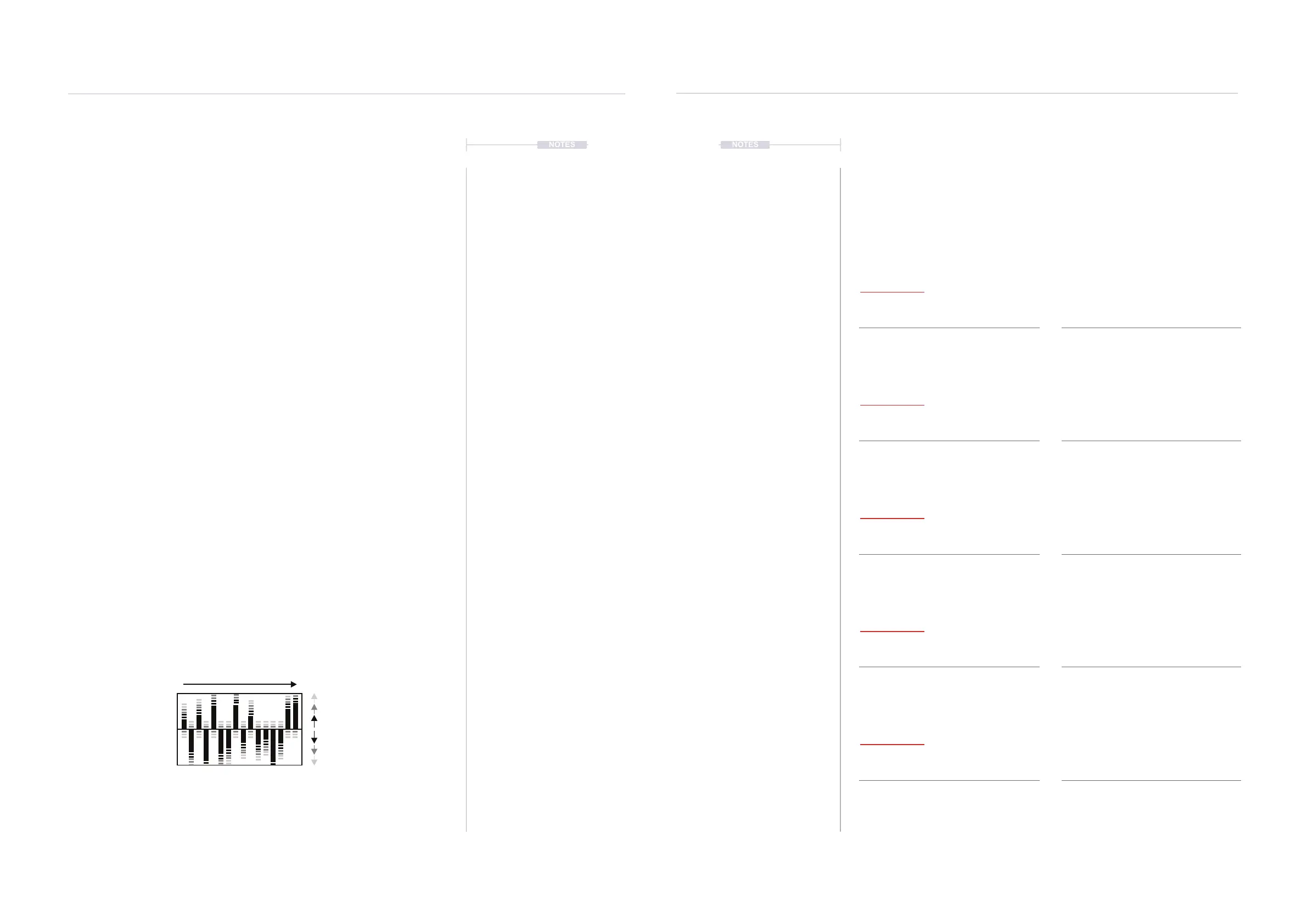
Random has a nominal 0-100% range but is not simply a linear value change. This
sets the cyclic value shape of the random sequence as it evolves and is regenerated
Random Sequence Evolution
(RANDOM)
Cycles & Random
7
Cycles & Random
7
7.10 Parameter Randomisation Behaviour
The behaviour of each parameter randomisation and the adjustment
controls will be specic to each parameter. The general operating controls
and adjustment process is the same but the outcome may be different.
The descriptions refer to the respective parameter when randomising i.e.
random + parameter value button view. The options are not always a linear
+/- value but may apply an algorithmic or inversion change.
Steps
Cycles
Pulses
Division
Velocity
Change at end of cycle.
Change at end of cycle.
Change at end of cycle.
Change at end of cycle.
Change at end of cycle.
Negative Range - Value Buttons Left
Negative Range - Value Buttons Left
Negative Range - Value Buttons Left
Negative Range - Value Buttons Left
Negative Range - Value Buttons Left
Positive Range - Value Buttons Right
Positive Range - Value Buttons Right
Positive Range - Value Buttons Right
Positive Range - Value Buttons Right
Positive Range - Value Buttons Right
Reduces the number of steps to a random
number at the change of each cycle.
Probability to repeat any cycles which have
been played prior.
Reduces the number of pulses to a random
number at the change of each cycle.
Negative sets the chance of converting
between quadruplet < > triplet values.
Applied to the notes as assigned in the pitch
menu. Changes all the notes equally with
monophonic random behaviour.
Increases the number of steps to a random
number at the change of each cycle.
Probability to skip any cycles which may be
played in the immediate future.
Increases the number of pulses to a random
number at the change of each cycle.
Positive sets the chance of division multiplied
x2 or divided /2.
Applied to the notes as assigned in the pitch
menu. Positive changes all the notes
differently with polyphonic random behaviour.



 To Next Page
 Loading...
