151
The T-1 Notebook : Reference & Guide
150
The T-1 Notebook : Reference & Guide
NOTESNOTES
▌ APPLYING RANDOMISATION TO A PARAMETER
1. Select the pattern and track.
2. To view the random page, Hold or double tap (RANDOM). .
3. To view the random state. Keep holding (RANDOM) + Press (Knob).
Where Knob is one of the available random selectable parameters.
4. Apply an amount of randomisation. To apply to a parameter, i.e. one of
the available random selectable parameters.
• Keep holding (RANDOM) + Press (Knob) + Press [VBx]. The option
is bi-polar and can be adjusted +100% [VB16] and -100% [VB9].
Note double tap (RANDOM) to keep this option selected and then
press (Knob) + [VBx] to change the setting. Fastest and will
visualise state.
• Keep holding (RANDOM) + Turn (Knob). The option is bi-polar and
can be adjusted +100% Clockwise and -100% Counter-clockwise.
• Keep holding (RANDOM) + Press & Turn (Knob). The option is bi-
polar and can be adjusted +100% Clockwise and -100% Counter-
clockwise. Slower but will visualise state.
5. The Phase can be changed to ‘slide’ forward or backward the
parameter random sequence and create more variation. Hold
(RANDOM) + Press (Knob) + Press [VB8] or [VB16] to iterate the phase
shift one step each press.
6. The sequence shape can be slewed for a smoother pattern. Hold
[CTRL] + (RANDOM) + turn (Knob) to apply slew.
7. Repeats steps 3-5 for other parameters to build more movement and
interest into the sequence.
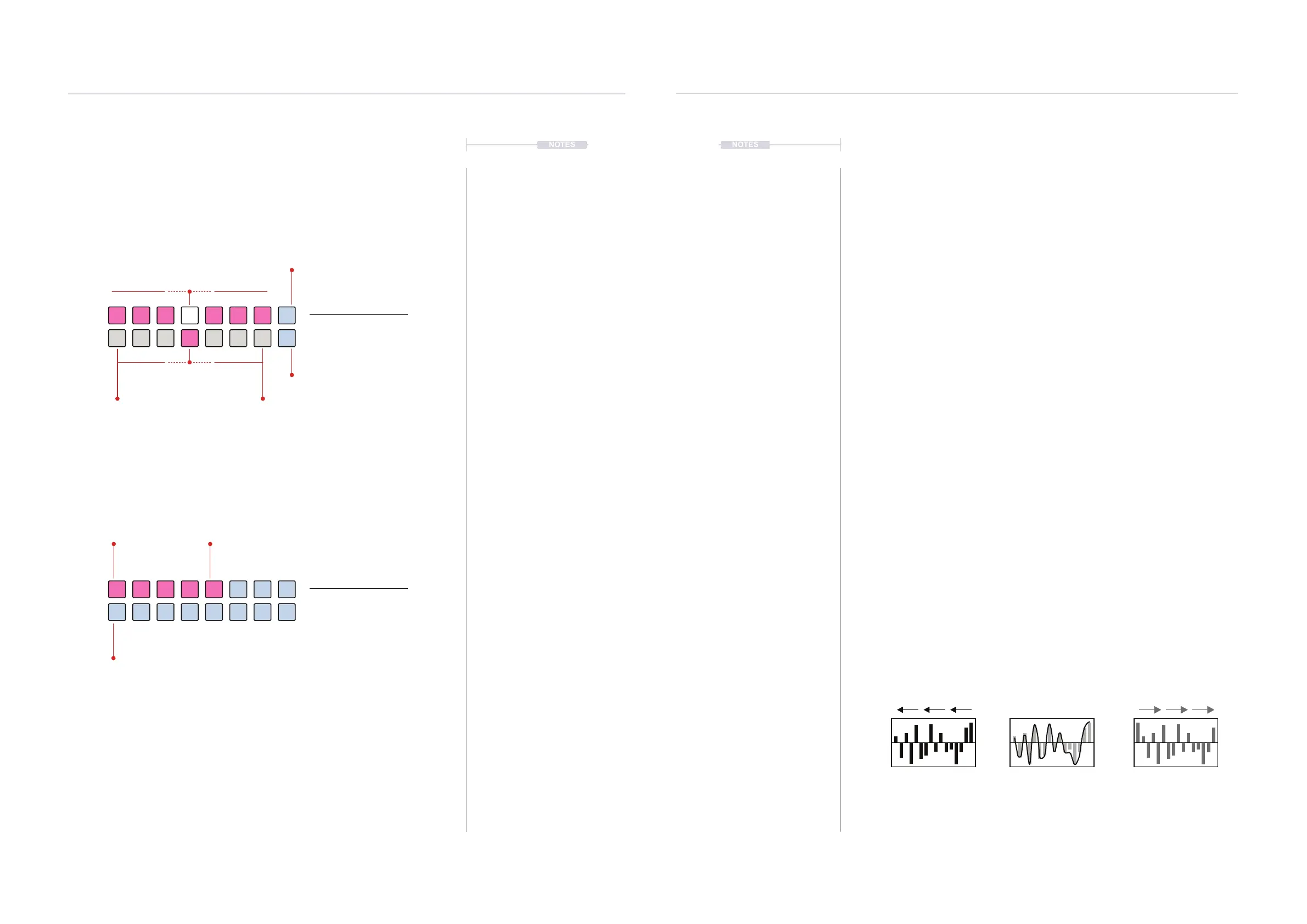
Each parameter has a modulation sequence lane to manage the randomisation
variation. This can be phase shifted for more interest. Each press of [VB8] will phase
shift steps earlier, [VB16] will phase shift steps later. In addition a slewed ,smoothing
feature can be applied to the sequence shape.
Phase shift and slew of Random Sequence
[VB8] [CTRL] + (RANDOM) + Turn (Knob)
Slew Shape
[VB16]
7.9 Parameter Randomisation
Multiple parameters can be randomised. The global amount of
randomisation can be adjusted as well as the time division rate. Random is
set up and applied in conjunction with one or more parameter controls.
Random + Parameter View Mode.
Random Probability View Mode.
Random Parameter View
Hold (RANDOM) +
Press (PARAMETER).
Random Probability View
Hold (RANDOM)
PINK ⬛
Coarse Values
PINK ⬛
Probability % Set
BLUE GREY ⬛
Off
-100% +100%
Loops Sequence
WHITE ⬛
Fine Tune & Select
BLUE GREY ⬛
Phase Shift Modulation
BLUE GREY ⬛
Phase Shift Modulation
Cycles & Random
7
Cycles & Random
7
Holding (RANDOM) + (PARAMETER) will adjust the amount of
modulation that is applied to the selected parameter.
Turning (RANDOM) will adjust the probability of a random event happening.
100% means the random progression will always happen. A value in between
will apply % probability of a random event happening.
100%
50%0% 25%
75%



 To Next Page