Chapter 6: Using the TV’s features
47
Using REGZA-LINK
®
This is a new feature that uses CEC technology
and allows you to control Toshiba REGZA-LINK
®
compatible devices from the TV remote via HDMI
connection ( page 17).
When the Enable REGZA-LINK
®
in the REGZA-LINK
®
setup menu ( page 48) is set to On, the following
REGZA-LINK
®
functions will be enabled.
REGZA-LINK
®
playback device (DVD
player, etc.) control
With your TV’s remote control, or using the
REGZA-
LINK Player Control
menu, you can control the
connected REGZA-LINK playback device you are
watching.
Available remote control key functions:
Button Description
Begins playback.
Stops playback.
Pauses the picture during play or record mode.
Skips forward.
Skips backward.
Fast-forwards.
Rewinds/reverses.
pqtu
Navigate contents menu, etc.
Enters contents menu, etc.
Returns to the previous menu.
Note: These functions depend on the devices
connected.
REGZA-LINK
®
Player Control menu
functions:
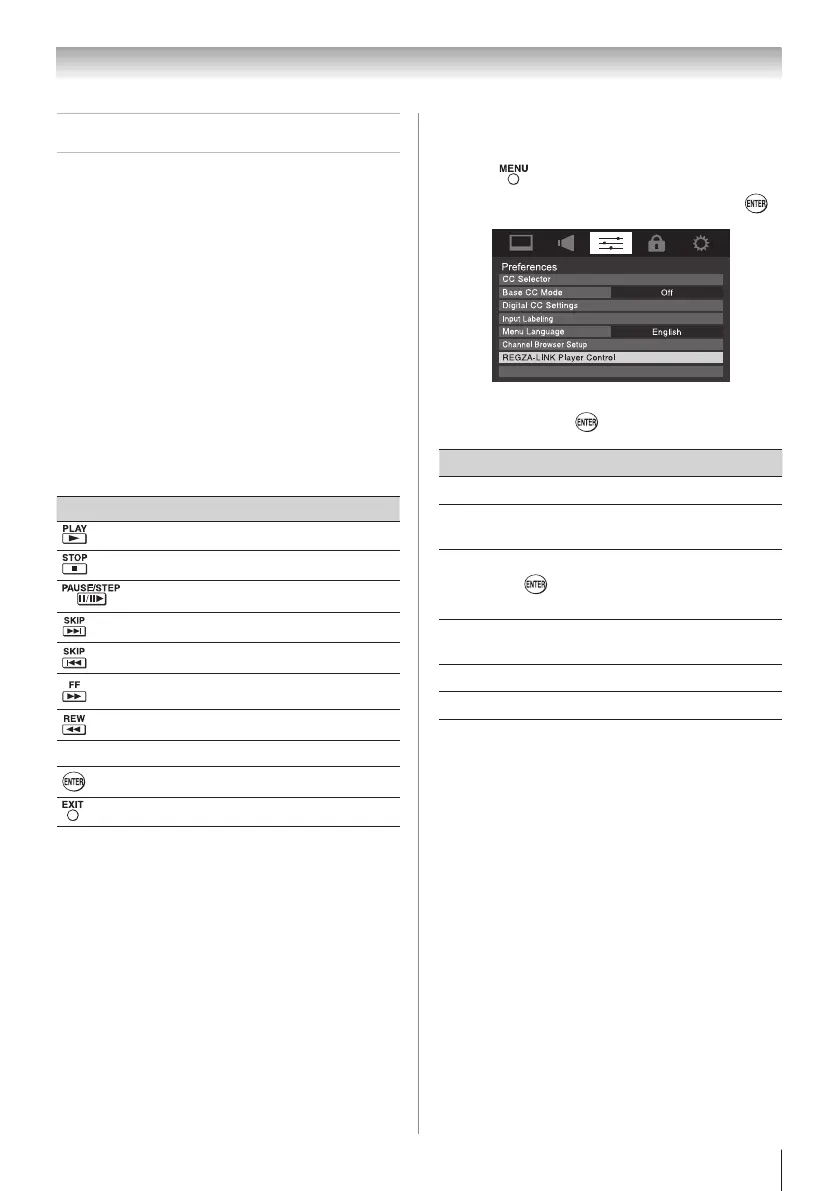
1無
Press and open the Preferences menu.
2無
Highlight REGZA-LINK Player Control and press
.
Energy Saving Settings
3無
Press p or q to select the item you want to
control and press .
Item Description
Power Turns the selected device on and off.
Root
Menu
Accesses the top menu of the selected
device.
Contents
Menu
Accesses the contents list when you press
. At this time, the REGZA-LINK Player
Control menu will disappear.
Setup
Menu
Accesses the setup menu of a DVD
player.
Top Menu Accesses the top menu of a DVD.
Menu Accesses the menu of a DVD.
Note:
•
These functions depend on the devices that are
connected.
•
The REGZA-LINK Player Control item will be
grayed out in the following conditions:
−
A non-HDMI input is currently selected.
−
The Enable REGZA-LINK item is set to Off.
REGZA-LINK
®
input source selection
If a REGZA-LINK
®
device with HDMI switching
capability (e.g. Audio Receiver) is connected to
the HDMI input, you can select another REGZA-
LINK
®
device that is connected to the master HDMI
device using the TV’s INPUT button. See page 28 for
details.



 To Next Page
 Loading...