Using the TV’s features
Picture adjustment
• Mostofthepicturecontrolsandfunctionsare
available.Howeverfeaturesnotavailablewillbe
greyedout.
Selecting the Picture Size
1 Press untilthePicture Sizelistappears
onthescreen,thenpresssorrtoselect
theappropriatePicture Size(orpress
repeatedlytoselectthedesiredPicture Size
directly).
2 PressQ.
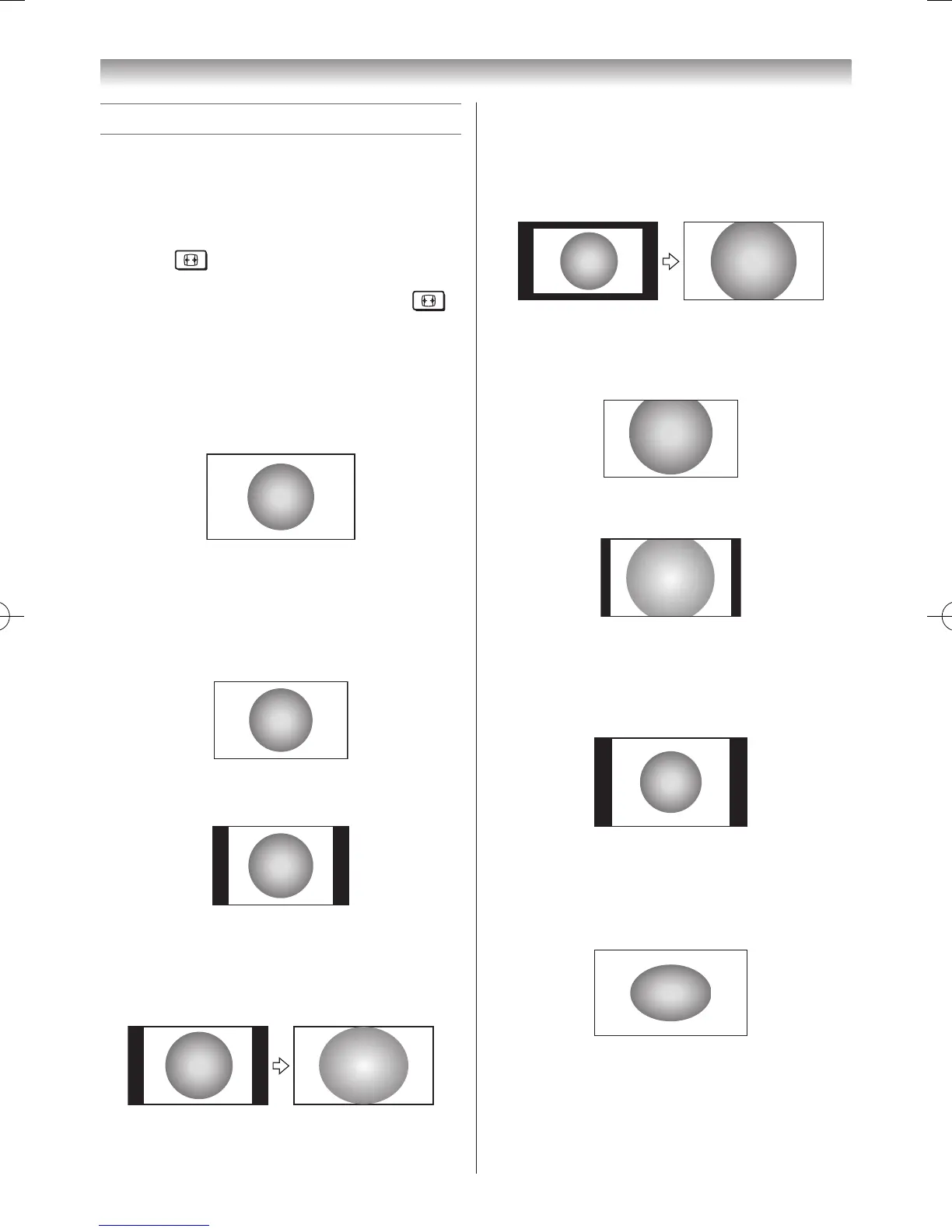
Native
Thissettingwilldisplaytheimagecorrectly
withoutdistortionorpictureclipping.
Wide
Usethissettingwhenwatchingawide-screen
DVD,widescreenvideotapeora16:9broadcast
(whenavailable).Duetotherangeofwide-
screenformats(16:9,14:9,20:9etc.),youmay
seebarsonthetopandbottomofthescreen.
4:3
Usethissettingtoviewatrue4:3broadcast.
Super Live
Thissettingwillenlargea4:3imagetotthe
screenbystretchingtheimagehorizontallyand
vertically,holdingbetterproportionsatthecentre
oftheimage.Somedistortionmayoccur.
Cinema
Whenwatching“allsidespanelformat”lms/
videotapes,thissettingwilleliminateorreduce
theblackbarsonallthesidesofthescreen
byzoominginandselectingtheimagewithout
distortion.
Subtitle
Whensubtitlesareincludedonaletterboxformat
broadcast,thissettingwillraisethepictureso
thatthemostoftextisdisplayed.
14:9
Usethissettingwhenwatchinga14:9broadcast.
PC Normal
UsethissettingforPCconnectedviaHDMI
orRGB/PCterminalwhenreceivingPCsignal
format.Thissettingwilldisplaytheimage
correctlywithoutdistortionorpictureclipping.
PC Wide
UsethissettingforPCconnectedviaHDMI
orRGB/PCterminalwhenreceivingPCsignal
format.Thissettingwilldisplaytheimagewithout
pictureclipping.



 To Next Page