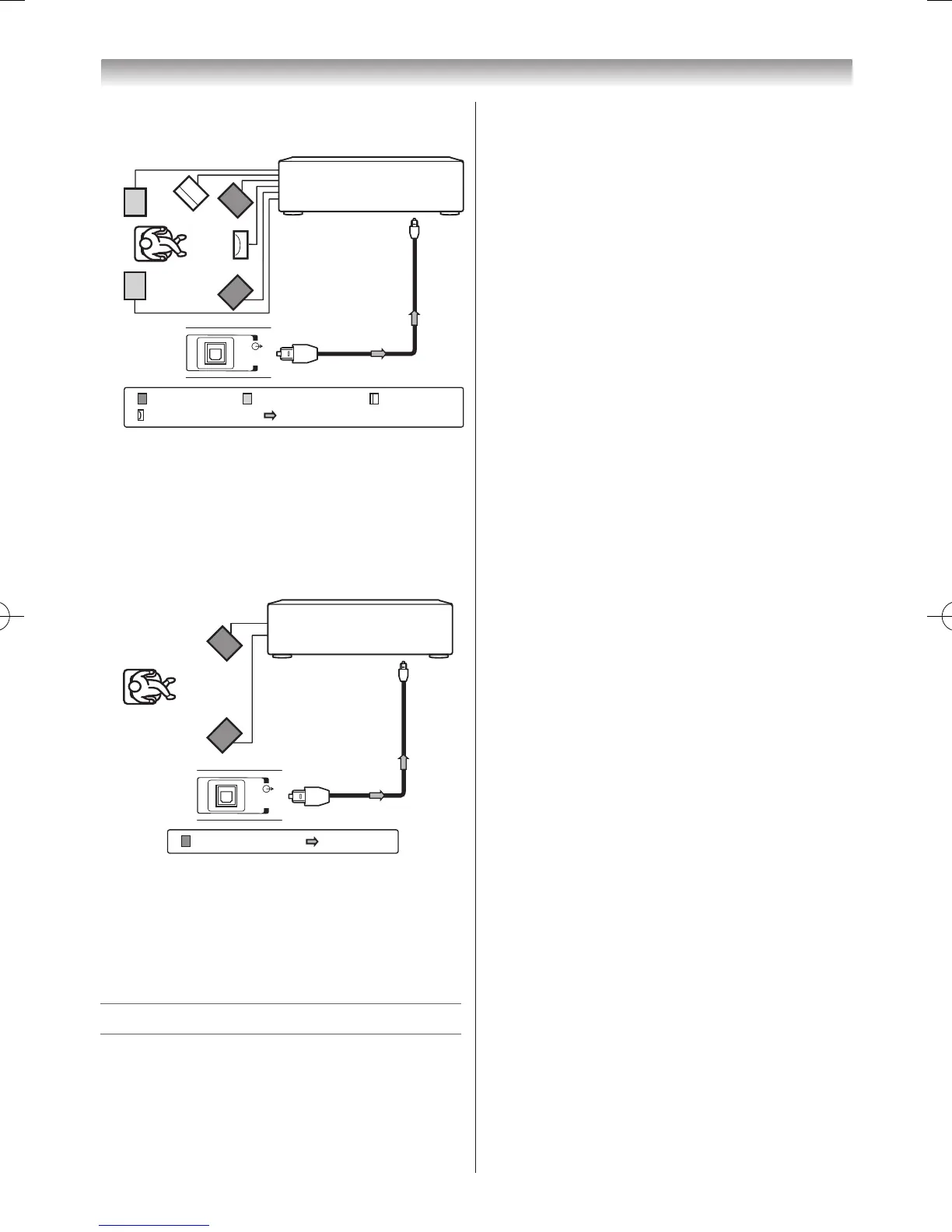
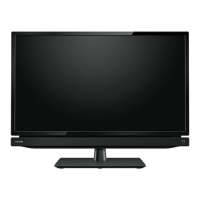
Youcanenjoythedynamicsoundofa2-channel
digitalstereobyconnectingtheTVtoanamplier
equippedwithadigitalaudio(optical)inputand
speakersystem(rightandleftfrontspeakers).
Whenusingthissetup,selectPCMintheDigital
Outputmenu(-page19).
Connecting HDMI or DVI devices
• Whenturningonyourelectroniccomponents,
turnontheTVrst,andthentheHDMIandDVI
device.
• Whenturningoffyourelectroniccomponents,
turnofftheHDMIandDVIdevicerst,andthen
theTV.
• ThisTVmaynotbecompatiblewithfeatures
and/orspecicationsthatmaybeaddedinthe
future.
• ThisTVisonlyoperablewithL-PCMandDolby
Digitalon32/44.1/48kHz.Ifthereisnosound
whenusingHDMI,usetheanalogueaudio
cablestoconnecttheTVandtheHDMIdevice,
andselectAnalogueinHDMI 1 Audioofthe
AV Connectionmenu.
•ThisTVisabletoconnectwithHDMIdevices.
ButitispossiblethatsomeHDMIdevicesmay
notoperateproperlywiththisTV.
Connecting an HDMI or a DVI device
TheHDMIinputonyourTVreceivesdigitalaudio
anduncompresseddigitalvideofromanHDMI
deviceanduncompresseddigitalvideofroma
DVIdevice.
ThisinputisdesignedtoacceptHDCP
programmematerialindigitalfromCEA-861-D
compliantconsumerelectronicdevices(suchas
asettopboxandDVDplayerwithHDMIandDVI
output).
TheHDMIinputisdesignedforbestperformance
with1080i(50Hz/60Hz)and1080p(24/50/60
Hz)high-denitionvideosignals,butwillalso
acceptanddisplay480i,480p,576i,576p,and
720p(50Hz/60Hz)andVGA(VESA640×480
@60/72/75Hz)signals.
• HDMI:High-DenitionMultimediaInterface
• DVI:DigitalVideoInterface
• HDCP:High-bandwidthDigitalContent
Protection
• CEA-861-Dcompliancecoversthe
transmissionofuncompresseddigitalvideo
withhigh-bandwidthdigitalcontentprotection,
whichisbeingstandardizedforreceptionof
high-denitionvideosignals.Becausethisis
anevolvingtechnology,itispossiblethatsome
devicesmaynotoperateproperlywiththeTV.
• AcceptablePCsignalformat:
S-VGA:VESA8005600@56/60/72/75Hz
XGA:VESA10245768@60/70/75Hz
W-XGA:VESA12805768@60/75Hz
W-XGA:VESA13605768@60Hz
S-XGA:VESA128051024@60/75Hz
However,thesesignalformatsareconvertedto
matchthenumberofpixelsoftheLCDpanel.
Therefore,theTVmaynotdisplaysmalltext
properly.
IfyouconnectthisunittoyourPC,the
compressedimageisdisplayedinS-XGAmode,
thereforethepicturequalitymaydeteriorateand
charactersmaynotberead.
• L-PCM:Linear-PulseCodeModulation.
• SupportedAudioformat:L-PCM,DolbyDigital,
samplerate32/44.1/48kHz



 To Next Page