EasyManua.ls Logo

Toshiba 32WL2C Series - Mobile TV Instructions; 12 V Operation and AC Adaptor Specs

Toshiba 32WL2C Series
50 pages
Print Icon
To Next Page IconTo Next Page
To Previous Page IconTo Previous Page
Loading...
English - 48 -
(**) Limited Models Only
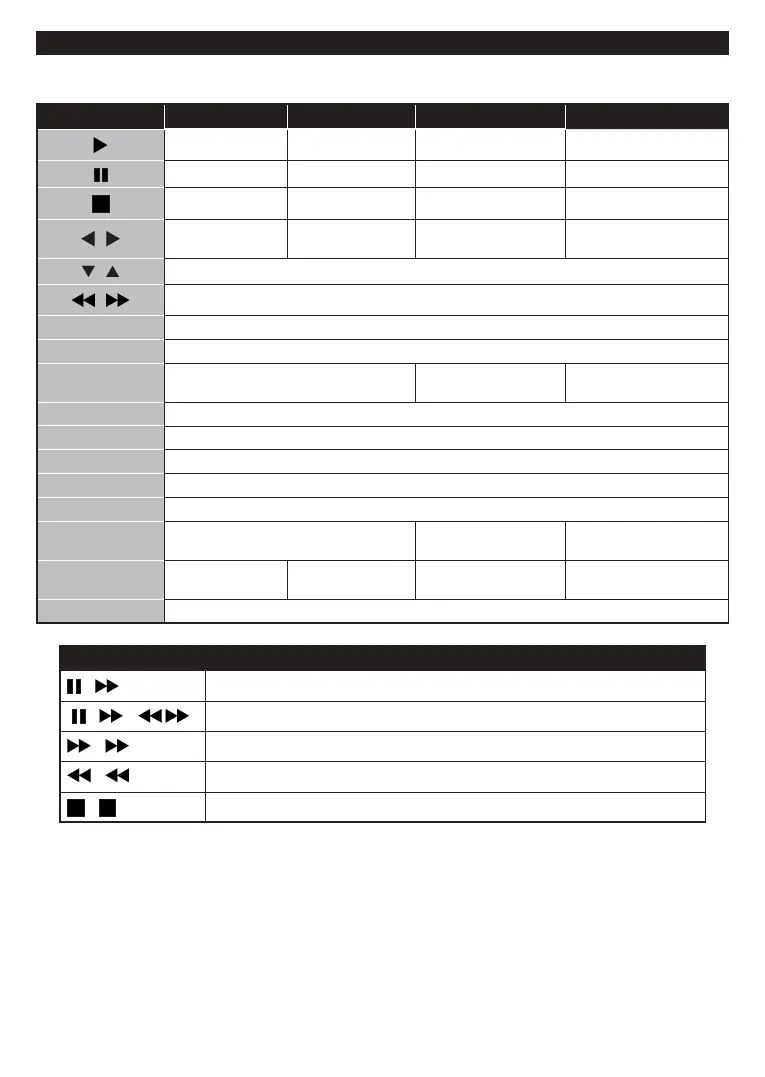
General DVD Operation
You can operate DVD, movie CD, music or picture CD’s content by using the proper buttons on your remote
control. Below are main functions of commonly used remote control buttons.
Buttons DVD Playback   
Play Play Play Play
Pause Pause Pause Pause
Stop Stop Stop Stop
/

forward

forward
Rotate 
/

/

GUIDE 
INFO 
LANGUAGE
Press Language button to change the

X X
MENU 
OK 
GREEN BUTTON 
BACK/RETURN 
YELLOW BUTTON 
TEXT
Press Text

X X
BLUE BUTTON




X X
RED BUTTON 
Other Functions – Button Combinations (During playback)
+
Slow forward
(
+
)
+
Sets slow forward speed
+

+

+

(*) You can switch to title by pressing numeric keys directly. You need to press 0 and then digit key to switch
one digit titles (example: to select 5, press 0 and 5).


Related product manuals